Idle Time: What It Is, How to Measure & Reduce It - Mera Monitor

    Idle Time: What It Is, How to Measure It, and Ways to Reduce It

Introduction

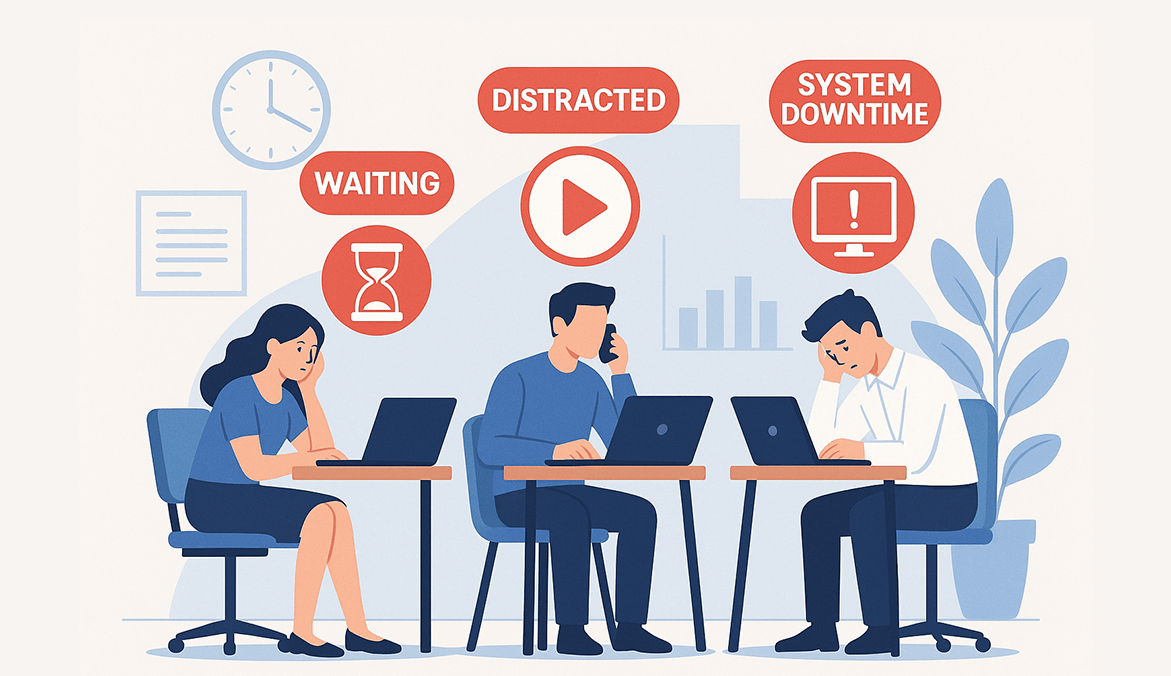
Idle time seems harmless at first. A few minutes here, a small delay there — nothing dramatic.
But when those gaps stack up across teams, projects, and months, they quietly drain productivity, budgets, and morale.

In today’s remote, hybrid, and fast-paced workplaces, idle time is one of the biggest hidden leaks in operational performance. And most teams don’t even realize how much of it is happening.

In this guide, I’ll Walk you through what idle time really is, how to measure it, and — most importantly — how to reduce it without micromanaging your team. I’ve spent years working with distributed teams, and I can tell you this confidently:

Idle time isn’t a people problem. It’s usually a process, clarity, or workflow problem.

Let’s break it down with real-world practicality.

What Is Idle Time?

Idle time is the period when an employee, machine, or system is available to work but not actively engaged in productive tasks.

In simple words:
They’re “on the clock,” but nothing meaningful is happening.

Common causes include:

  • Waiting for approvals
  • Blocked by missing information
  • Slow or failing systems
  • Team dependencies
  • Unclear next steps

Employee Idle Time vs Machine Idle Time

Idle time looks different depending on the environment:

  • In a manufacturing or facility setting, idle time may mean a machine is sitting unused, waiting for materials.
  • In a workplace, IT, or service team, idle time usually means employees are stuck waiting — for clarity, decisions, access, or inputs.

A real insight from the field:

In my experience, most idle time doesn’t come from employee disengagement — it comes from unclear workflows and process delays.

Fix the system, and idle time drops naturally.

Why Idle Time Matters More Than You Think

Idle time affects far more than output.

According to a McKinsey Global Institute study, employees lose up to 20% of their productive time due to poor processes, unclear workflows, and internal communication gaps — all of which directly contribute to idle time.

Source: https://www.mckinsey.com/industries/technology-media-and-telecommunications/our-insights/the-social-economy

Financial impact

Idle time = lost productive capacity.
Even 30–45 minutes of avoidable idle time per employee per day adds up to hundreds of hours lost per month.

Operational delays

Idle time slows down:

  • Project timelines
  • Customer responses
  • Support resolutions
  • Development cycles

Employee morale

High idle time often leads to:

  • Boredom
  • Frustration
  • Feeling “stuck”
  • Low sense of ownership
  • Disengagement

Idle time feels like work, but without the satisfaction of progress.

Types of Idle Time (Normal vs Avoidable)

Not all idle time is bad.

In fact, some idle time is healthy and necessary.

  1. Normal (Planned) Idle Time
  • Breaks
  • Recovery between tasks
  • Quick pauses
  • Admin work
  • Transition time

Healthy idle time prevents burnout and supports creativity.

  1. Abnormal (Avoidable) Idle Time

This is the real issue — the “silent productivity killer”:

  • Waiting for managers or approvals
  • Waiting for information or inputs
  • Overstaffing or poor scheduling
  • System/tool failures
  • Unclear task priorities

This is where your improvement efforts should focus.

Idle Time vs Downtime vs Healthy Breaks

People often mix up these terms , which leads to wrong decisions.

Here’s the difference:

Term

Meaning

Idle Time

Employee/system is ready but not productive.

Downtime

Employee/system cannot work at all (like outages).

Breaks

Planned rest or recovery — not a problem.

Idle time is usually solvable. Downtime often needs technical fixes. Breaks should be respected. 

How to Measure Idle Time (Accurately and Fairly)

You can’t reduce what you don’t measure—and when it comes to idle time, accuracy and fairness are everything.

Traditional time-tracking methods like manual logs or spreadsheets can’t detect idle time reliably. Employees may mark themselves as “working” even when they’re waiting for inputs, dealing with system issues, or momentarily disengaged. That’s where automated idle time tracking tools like Mera Monitor become essential.

What Does Idle Time Measurement Involve?

Idle time tracking typically monitors keyboard and mouse activity. If there’s no activity for a defined period (e.g., 5 or 10 minutes), the system marks that window as idle.

Mera Monitor makes this process automatic, accurate, and transparent.

Key Elements of Fair Idle Time Tracking

ElementWhy It Matters
Custom Idle Time ThresholdsSet your own inactivity limit (e.g., 5–15 minutes) to define idle time fairly.
Contextual MonitoringUnderstand idle time in relation to working hours—not just system status.
User VisibilityLet employees see their own active and idle reports—encouraging self-correction.
Role-Based AnalysisCompare idle time across roles, not just individuals—some jobs require more passive time.
Non-Invasive TrackingMeasure system-level activity only (not screen content or keystrokes).

Metrics You Should Track

MetricWhat It Tells You
Idle Time DurationTotal minutes/hours of inactivity within a workday or week
Idle Time FrequencyHow often idle sessions occur—helps spot task delays or distraction points
Idle Time PercentageProportion of idle time vs. total logged time
Time of Day TrendsIdentify patterns—such as regular dips after lunch or before meetings
Team ComparisonsSpot which teams or roles are struggling with frequent idle time

Why Fairness Matters

Tracking idle time isn’t about catching people—it’s about uncovering friction in your workflow.

When the data is transparent, contextual, and role-aware, it builds trust. Employees feel empowered to manage their time better, and managers gain insights to improve systems—not blame people.

What Causes Idle Time in the Workplace?

Idle time doesn’t always result from poor employee performance. In most cases, it reflects larger issues—like broken workflows, unclear responsibilities, or technical delays. To reduce idle time, leaders must first understand why it’s happening.

Here are the most common (and often overlooked) causes:

Lack of Clear Task Assignments

When team members don’t know what to work on next—or who owns the next step—they wait. Idle time increases when task priorities, deadlines, or responsibilities aren’t clearly defined.

Example: A designer finishes their task but waits hours for the content team’s inputs because the workflow wasn’t mapped or delegated properly.

Technical Issues or System Downtime

Slow computers, internet disruptions, login problems, or tool crashes all contribute to idle time—especially in remote and hybrid teams. Even small delays repeated across users can add up to hours of lost productivity.

Waiting for Feedback or Approvals

Employees often get stuck waiting on inputs, approvals, or clarifications. This is common in workflows that lack automation or defined escalation paths.

Example: A support executive pauses ticket resolution until the manager approves a refund—but the manager is in back-to-back meetings.

Unoptimized Processes and Hand-offs

Poorly structured workflows, unclear SOPs, and bottlenecks between departments cause work to stall. Idle time builds up when teams have to chase status updates or manually follow up.

Low Engagement or Burnout

Disengaged employees may appear “online” but are mentally checked out. High idle time can sometimes signal burnout, low motivation, or lack of meaningful work—especially in teams without feedback loops.

Distractions and Multitasking

Constant context-switching—between tools, messages, and meetings—can fragment focus. These micro-distractions often result in short bursts of idle time that accumulate over the day.

Role-Specific Work Gaps

Not all roles are designed for continuous input. Some employees may be waiting for customer calls, monitoring systems, or reviewing reports. Without contextual tracking, their idle time might appear inflated—even though they’re working as expected.

⚠️ Takeaway

Idle time is often a symptom, not a problem in itself. By identifying the root causes—whether technical, procedural, or cultural—you can take smarter steps to reduce it and improve the overall flow of work.

How to Reduce Idle Time Without Micromanaging

Reducing idle time isn’t about enforcing strict rules or constant oversight. It’s about creating an environment where teams can stay focused, supported, and productive—with minimal friction.

The right strategy doesn’t involve micromanagement. Instead, it focuses on clarity, visibility, and workflow optimization.

Here are proven, people-first ways to reduce idle time:

Use Transparent Activity Tracking

Tools like Mera Monitor track active, idle, and away time automatically—without intruding on privacy. When employees can see their own activity reports, it fosters self-awareness and accountability.

Tip: Share weekly idle/active time summaries with team members. Most people naturally improve once they understand their work patterns.

Set Clear Daily Goals and Priorities

Ambiguity causes inaction. Ensure every team member knows:

  • What they’re working on
  • When it’s due
  • Who they’re dependent on (or who’s dependent on them)

Use project/task management tools to break down big goals into clear, actionable tasks.

Streamline Approvals and Handoffs

Waiting for approvals is a leading cause of idle time. Create fast, well-defined workflows to reduce delays—especially for routine tasks.

Solution ideas:

  • Set up auto-approvals for low-risk items
  • Define escalation chains for stuck work
  • Use shared task boards for visibility

Fix Repetitive Technical Issues Quickly

Nothing kills momentum like tech frustration. If teams frequently report tool crashes, VPN lags, or access delays—treat it as urgent.

Tip: Monitor idle time patterns. If multiple users go idle at the same time every day, it could signal a recurring technical issue.

Encourage Breaks—but Set Reasonable Boundaries

Breaks are necessary. But extended or unreported idle periods affect productivity. Set fair idle time thresholds (e.g., 10 mins) so systems know when to classify a period as unproductive.

This ensures you:

  • Respect personal downtime
  • Maintain visibility for business performance
  • Avoid falsely interpreting short breaks as disengagement

Review Idle Time Data as a Coaching Tool

Use idle time reports in 1:1 meetings—not to criticize, but to understand and support.

Ask:

  • “What happened during this block of idle time?”
  • “Was something blocking your progress?”
  • “How can we make this smoother next time?”

This turns data into meaningful conversations, not pressure.

Balance Workloads Across Teams

If some teams show consistently higher idle time, they may be underutilized—or waiting on others. Use idle time insights to redistribute tasks, reassign responsibilities, or reconfigure workflows.

Automate the Low-Value, Repetitive Tasks

Free up time by automating what doesn’t need manual effort. Use tools for:

  • Attendance tracking
  • Reporting
  • Status updates
  • Timesheet generation

This reduces human delay and minimizes idle time caused by repetitive admin work.
Start Reducing Idle Time the Smarter Way

Mera Monitor gives you real-time insight into how work happens—and how much time is lost in between.

Start Free Trial, Book a Free Demo

Final Thoughts

Idle time isn’t the enemy—it’s a diagnostic signal. It can indicate where your systems are failing, where team members are disengaged, or where leadership can intervene.

When measured with the right tools, idle time becomes an opportunity—not a liability.

Mera Monitor helps teams:

  • Track true productivity without micromanagement
  • Improve workflows and response times
  • Empower employees to self-correct
  • Save costs by removing invisible inefficiencies

Ways to Reduce It

Author

  • Mahesh Mitkari, Head of Sales & GTM at AAPNA Infotech, is a results-driven sales leader with 12+ years in SaaS, B2B growth, and go-to-market strategy. He helps enterprises turn productivity solutions into measurable business outcomes.