Want to see how companies
are benefited ?
Use Mera Monitor
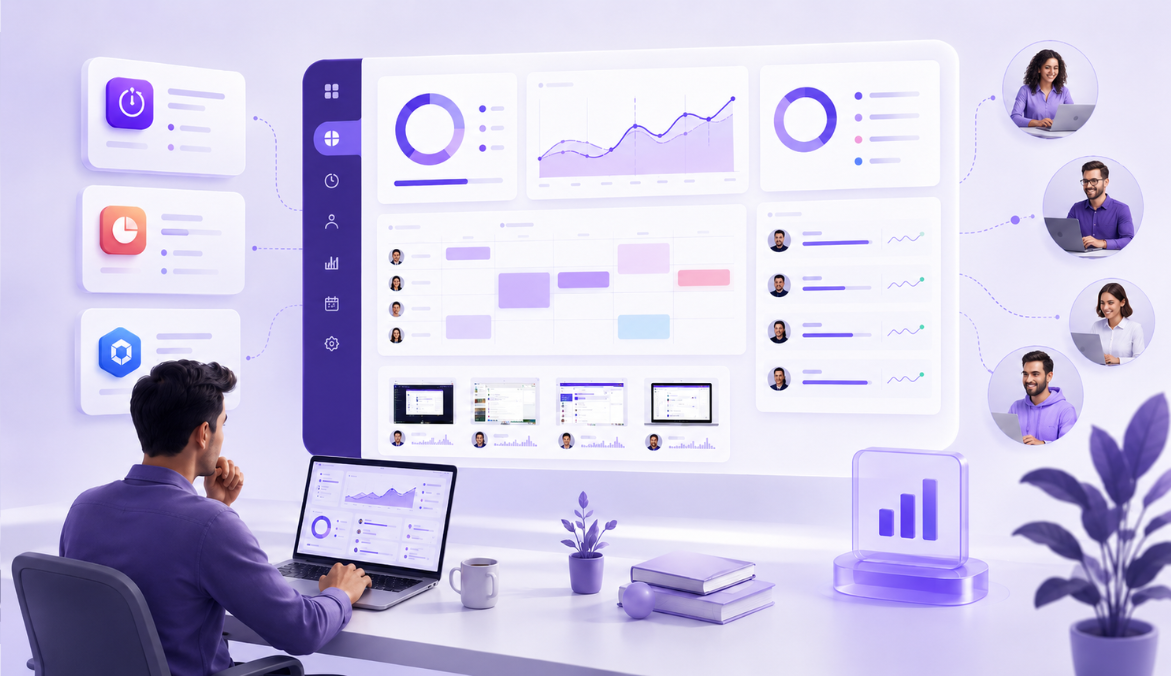
Understand what was happening during tracked work hours, review activity with time-stamped screenshots, and connect visual context with productivity data.
Use time-stamped screenshots to understand when specific work activity happened and review progress with better context.
Review screenshot records by employee to see work sessions more clearly, identify patterns, and make follow-ups more objective.
Use blur options to reduce exposure of sensitive information while still keeping useful work context available.
Give screenshot visibility only to authorized users based on their role and responsibility
Configure screenshot settings around your work-hour rules, privacy expectations, and internal monitoring guidelines.
Time-based reviews help managers find relevant screenshots faster without going through unnecessary records.
Screenshots connected with work time give clearer context behind specific work periods, productivity dips, or follow-up discussions.
Work-hour focused monitoring keeps screenshot review aligned with defined work hours and business needs.
Set screenshot capture preferences based on your organization’s policy and work-hour requirements.
Use blur settings to reduce exposure of sensitive screen details while still maintaining useful work context.
Ensure screenshot records are visible only to authorized users based on role and responsibility.
Keep screenshot monitoring aligned with defined work hours and business needs.
Allow employees using personal devices to turn off Mera Monitor outside work hours.
Help teams understand what is tracked, when it is tracked, and why it matters.
Before enabling screenshot monitoring, be clear about why your organization needs it. The goal is not to track every action. The real purpose is to understand work progress, reduce guesswork, and support fairer productivity reviews.
Screenshot records are useful when teams work remotely, manage client projects, handle shift-based work, or rely heavily on digital tools. They help managers see what was happening during a specific work period instead of depending only on manual updates or assumptions.
Best used for:
Work visibility, productivity reviews, accountability, client work validation, remote team management, and fairer follow-up conversations.
Every organization has different work hours, privacy expectations, and review needs. That is why screenshot rules should be based on your company policy instead of using the same setup for every team.
With Mera Monitor, admins can configure screenshot preferences around how their teams work. This includes capture settings, work-hour rules, blur options, and access permissions.
Decide in advance:
When screenshots should be captured, which teams need screenshot review, whether blur should be enabled, who can access screenshot records, and how often the data should be reviewed.
Screenshot tracking should never feel unclear or unexpected to employees. When people know what is tracked, when it is tracked, and why it is used, the process becomes more transparent and easier to accept.
Explain that screenshots are captured during defined work hours to support work visibility, productivity reviews, and better follow-ups. Also make it clear that access is limited to authorized users and privacy settings can be applied where needed.
Use Mera Monitor
Screenshots should not be reviewed in isolation. A single image may not show the complete picture of someone’s workday.
For a fair review, managers should look at screenshot records along with work hours, activity levels, app and website usage, attendance, project updates, and the type of work assigned. This helps avoid quick assumptions and gives a more balanced view of productivity.
For example, low activity may not always mean low productivity. An employee may be reading a document, attending a meeting, reviewing a client brief, or waiting for system access. Work-time screenshots add useful context, but they should be reviewed with the full work picture.
Better review approach:
Look at time, activity, tools used, task type, and screenshot records together before making any decision.
Screenshot data should be handled carefully. Not everyone in the organization needs access to these records.
Mera Monitor supports role-based access, so screenshot visibility can be limited to the right people. This helps organizations protect employee privacy, maintain trust, and keep review permissions under control.
Access should usually be given only to people responsible for productivity reviews, team management, delivery tracking, or compliance.
Recommended practice:
Give screenshot access only to admins, managers, or authorized decision-makers who genuinely need it.
The best use of screenshot records is not to create pressure. It is to make conversations more specific, fair, and useful.
Instead of asking vague questions like “What were you doing?”, managers can use visual work records to understand blockers, delays, distractions, or support needs.
For example, they can ask:
“Were you blocked during this time?”
“Was this task taking longer than expected?”
“Do you need support with this workflow?”
“Is this tool or process slowing you down?”
This turns screenshot review into a support tool, not just a tracking feature.
Use it for:
Coaching, workload review, blocker identification, process improvement, and fair productivity discussions.
Use Mera Monitor
Screenshot settings should evolve as your team, policies, and work models change.
A setup that works for a remote support team may not work for a design team, sales team, or leadership role. That is why it is important to review screenshot frequency, blur settings, work-hour rules, and access permissions from time to time.
Regular reviews help keep screen capture relevant, fair, and aligned with business needs.
Check regularly:
Screenshot frequency, blur settings, access permissions, employee communication, work-hour rules, and policy alignment.
Screenshot monitoring can give leaders useful visibility, but it should always be used with trust and transparency.
The goal is to help teams work better, not to make employees feel watched. When used properly, screenshot records can reduce unnecessary follow-ups, improve accountability, and support better decision-making.
Mera Monitor helps create this balance with work-hour focused tracking, configurable rules, blur options, and role-based access.
The right approach:
Use screenshot monitoring to bring clarity into work, support employees better, and make productivity decisions with more confidence.
Employee screenshot monitoring software captures snapshots of employees’ computer screens at scheduled intervals during work hours. This helps businesses visually verify how work time is being used and ensure tasks are aligned with assigned responsibilities.
Tools like Mera Monitor offer screen monitoring capabilities that are discreet, secure, and customizable. Admins can adjust the frequency of screenshots, set capture rules, and review visual logs through an intuitive dashboard.
It’s especially useful for remote or hybrid teams where real-time computer screen monitoring ensures accountability without constant check-ins—supporting both transparency and productivity.
There are no second thoughts on accepting that, the pandemic introduced employee desktop monitoring tools to 80% of the successful businesses. But they have stuck to it post-pandemic because of the alluring features it offers. Employee monitoring tools have been proven advantageous to businesses in every aspect. Some of its captivating benefits include:
With all the notable advantages that employee screen monitoring provides, there are also some unnoticed disadvantages that come with it. Know the pros and cons of employee screen monitoring to understand the tools deeply.
Pros:
Cons:
Introducing desktop monitoring software to your team requires a transparent, thoughtful approach to ensure understanding, acceptance, and trust.
Here’s how to do it effectively:
Communicate the Why
Explain the purpose clearly—whether it's improving productivity, enabling smoother remote collaboration, or ensuring data security. Emphasize that it’s about support, not surveillance.
Highlight the Benefits for Employees
Share how computer screen monitoring helps reduce micromanagement, identify workload imbalances, and even support performance reviews based on real data.
Be Transparent About What’s Tracked
Inform your team about what will be monitored—screenshots, app usage, idle time—and how the data will be used. Transparency builds trust.
Set Clear Policies
Draft and share a monitoring policy that outlines when and how monitoring occurs, who has access to the data, and what safeguards are in place.
Encourage Feedback
Make it a two-way conversation. Invite questions and feedback to address any concerns early.
Mera Monitor supports a smooth rollout with customizable monitoring features, employee access to their own data, and flexible settings—making adoption easier for any team.
It is always mandatory to respect employees' privacy while conducting screen monitoring. Prosecute all the legal rules and regulations applicable to your region while bearing desktop tracking. Above all, be ethical during the monitoring process. Here are some tips you can use to monitor employees' screens in the most principled way perfectly.
Employee screen monitoring software can be a valuable tool for many types of organizations—but its effectiveness depends on your goals, team structure, and work culture.
It’s especially useful if you:
Manage remote or hybrid teams and need better visibility into daily activities
Want to ensure accountability without micromanaging
Handle sensitive data and require an added layer of security
Are looking to optimize productivity through data-backed decisions
With Mera Monitor’s flexible screen monitoring and computer screen monitoring software, you can tailor what’s tracked, how often screenshots are captured, and who sees the data. This ensures that monitoring aligns with your business needs—without disrupting employee trust or workflows.
If you value transparency, productivity insights, and smarter resource management, screen monitoring could be a strong fit for your team.
Employee monitoring software can bring a major change to your company. It can help you boost employee’s or the overall company’s productivity and performance while reducing costs at the same time. Here are some of the benefits that employee monitoring brings to your company.
Screenshots aren’t continuous. Mera Monitor screenshot monitoring software captures them intelligently — only during activity.
When employees go idle or inactive, the system pauses screenshot collection automatically and resumes once activity returns.
This ensures screenshots show real work, not empty screens, keeping data relevant and storage optimized. It’s an efficient, ethical way to document productivity without unnecessary surveillance.
Screenshots show what’s currently open on the employee’s screen — such as apps, documents, or browser tabs — providing visual context for ongoing work.
Admins can enable blurred screenshots to hide sensitive data like HR dashboards or client information.
Employees can view their own screenshot reports anytime from their dashboard for transparency, but screenshots are captured quietly in the background during work hours — without constant on-screen alerts. This ensures balanced visibility for managers and peace of mind for employees.
Yes. Employees can pause screenshot monitoring anytime using Work Mode.
When Work Mode is off, Mera Monitor instantly stops all forms of tracking — including screenshots, app usage, and activity logs.

This feature is especially valuable for hybrid or remote workers who may handle personal tasks during the day.
It ensures complete privacy when needed while maintaining accurate productivity reporting when work resumes.