Introduction
If you’re comparing monitoring software and time tracking tools, chances are you’re trying to answer a deeper question: “What does my team really need — visibility, productivity insights, accuracy, or accountability?”
And after working with teams for 10+ years — from fast-growing startups to distributed workforces — I can tell you something most buyers don’t realize: Monitoring and time tracking solve different problems, but many teams need a thoughtful blend of both — not an either/or decision.
This guide breaks down the differences in simple terms, shares real use-case advice, and helps you pick the right tool for your team without overcomplicating it.
Let’s start by understanding what each one actually does.
What Is Time Tracking Software?
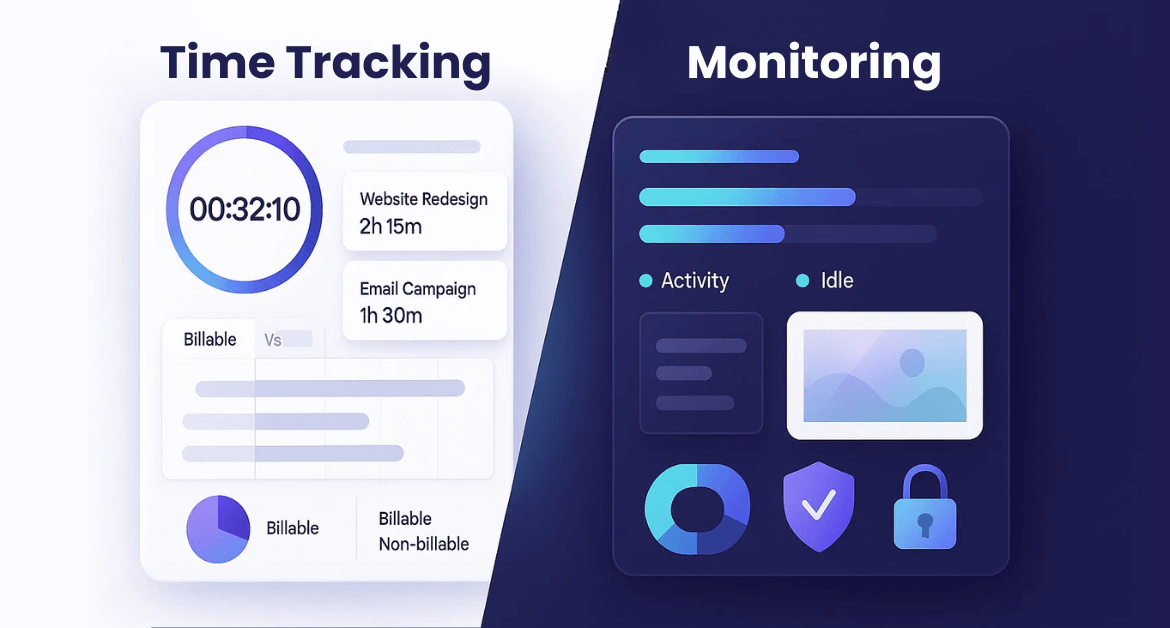
Time tracking tools help you measure:
- How much time people spend on tasks, projects, clients
- How work hours are distributed (billable vs non-billable)
- Productivity indicators like focus hours, idle time, task duration
Typical examples include: timers, manual logs, timesheets, project time tracking, task-based tracking.
Best for: Teams who want accuracy, billing clarity, project visibility, and better planning.
What Is Employee Monitoring Software?
Monitoring tools help you understand:
- Which apps and websites employees use
- Idle vs active time
- Behavioral patterns (e.g., risky activity, high distraction patterns)
- Real-time visibility like screen monitoring or remote access logs
Best for: Security-focused teams, remote workforce visibility, compliance, insider threat prevention, or performance coaching based on activity data.
In fact, research found around 78% of employers now use employee monitoring tools to track performance or online activity in remote/hybrid setups.
Monitoring Software vs Time Tracking: Key Differences Explained
Most comparison articles oversimplify this, but let’s break it down the right way — from a decision-making perspective.
| Category | Time Tracking | Monitoring Software |
|---|---|---|
| Purpose | Measure work hours & task productivity | Understand digital activity & behavior |
| Visibility | High-level: tasks, timesheets, hours | Deep-level: apps, websites, screenshots |
| Accuracy | Depends on user input or auto tracking | Automatically validated activity data |
| Use Cases | Billing, planning, project tracking | Security, compliance, productivity coaching |
| How Teams Feel | Neutral to positive | Sensitive — needs transparency |
| Output | Hours, reports, time allocations | Behavior insights, activity logs |
The Real Question: What Problem Are You Trying to Solve?
Before choosing a tool, ask yourself:
- Do I need to know how long work takes?
→ Time tracking. - Do I need visibility into how people work?
→ Monitoring. - Do I need both project accuracy AND activity insights?
→ Hybrid solutions like Mera Monitor work best.
Many teams confuse productivity issues with visibility issues — and end up buying the wrong tool.
When Time Tracking Software Is the Better Choice
✔ You bill clients
Time tracking simplifies invoicing, clarity, and trust.
✔ You manage multiple projects
It helps teams estimate better and deliver on time.
✔ You want to improve planning
Time patterns make forecasting easier.
✔ You want a positive, low-friction solution
Time tracking feels less invasive and improves adoption rates.
✔ You need team-wide clarity
It helps everyone understand workload distribution.
When Monitoring Software Makes More Sense
✔ You have a remote or hybrid workforce
You need visibility into effort, activity, and focus.
✔ You need stronger compliance
Certain industries require monitoring for audit trails.
✔ You struggle with distractions or productivity dips
Monitoring reveals where time disappears in the day.
✔ You need to detect risky behaviors
Unauthorized access, suspicious downloads, shadow IT — monitoring helps prevent them.
A Quick Insight
Over the years, I’ve seen teams assume they have a “productivity problem” when they actually had a “visibility gap.”
As soon as activity data and time data were combined, teams realized the real bottlenecks were:
- app overload
- unclear priorities
- task switching (which reduces productivity by up to 40%)
The right tool often fixes the right problem — not just the visible one.
Monitoring Software vs Time Tracking: Which One Drives Productivity?
Here’s the nuance most articles miss: Time tracking improves intentional productivity. Monitoring improves accountable productivity.
Both matter — but for different reasons.
🟦 Time tracking → Better planning & focus
You learn how long tasks take and how to estimate better.
🟦 Monitoring → Better behavior awareness
You see distraction patterns, app overuse, or workflow inefficiencies.
🟦 Together → Best results
When You Should Choose Both (Hybrid Approach)
Many modern teams now use combined monitoring + time tracking solutions because:
- time logs reveal how long work takes
- monitoring reveals how work happens
- together they create a full productivity picture
Hybrid tools solve:
- payroll leakage
- untracked work (employees forget 40-50% when logging weekly)
- workload imbalance
- distraction hotspots
- accountability gaps
- performance coaching challenges
This blend gives managers clarity without micromanaging.
Real-Life Insight
In one transformation project, a team believed developers were “slow.” After combining time tracking + monitoring insights, we found:
- 37% of their day was consumed by Slack, meetings, and ad-hoc requests.
- Only 2–3 hours/day were available for actual coding.
The problem wasn’t performance — it was interruptions.
Once fixed, output doubled within a month.
This is why tool choice matters: the data you collect shapes the decisions you make.
Common Misconceptions About Monitoring & Time Tracking
❌ “Monitoring is spying.”
Not when used transparently and ethically.
❌ “Time tracking is enough for remote teams.”
Not if you need digital activity clarity.
❌ “Monitoring kills trust.”
Miscommunication kills trust — not visibility tools.
❌ “Only large teams need monitoring.”
Even 10-person teams face distractions & risk exposure.
Pros & Cons of Each Tool (Honest Breakdown)
Time Tracking Pros
- Simple & user-friendly
- Great for billing & planning
- Light on employee resistance
- Clear productivity trends
Time Tracking Cons
- Relies on manual consistency
- Doesn’t show how time is spent
- Can miss untracked work
Monitoring Pros
- Deep visibility into activity
- Ideal for remote teams
- Detects risk & distractions
- Highly accurate data
Monitoring Cons
- Needs transparent communication
- Can overwhelm if configured poorly
- Not suitable as the only productivity measure
How to Choose: A Simple 3-Step Framework
Step 1: Identify your biggest challenge
Accuracy? Visibility? Security? Distractions? Billing?
Step 2: Pick the tool aligned with the root cause
Match the problem → solution.
Step 3: Start small, then scale
Pilot with one team → refine → expand.
Experience Insight – After helping multiple organizations implement tracking tools, I’ve learned this: The success of monitoring or time tracking depends far more on communication and rollout than on the software itself.
When teams understand the “why,” adoption skyrockets. When they don’t, even the best tool fails.
Final Recommendation
- If you want hours, billing accuracy, planning → choose time tracking.
- If you want visibility, behaviour insights, security → choose monitoring.
- If you want productivity, accountability, and clarity → choose both (hybrid).
Because when teams understand how long work takes and how work happens, productivity takes a major leap.
FAQs
Not better — just different. Monitoring = behaviour visibility. Time tracking = time accuracy.
No. Monitoring shows activity, not task duration or billing hours.
A hybrid solution that combines monitoring + task-based time tracking.
Only if communication is poor. Transparent explanation reduces resistance.
Yes — this gives the most complete picture of productivity.