Introduction
If you’re searching for Hubstaff alternatives, chances are you’re not just comparing features—you’re questioning fit.
Hubstaff is widely used for time tracking and employee monitoring, but many teams eventually reach a point where they ask: Is this tool helping us work better—or just measuring work harder?
Over the years, this question has come up repeatedly across teams of all sizes. The decision to move away from Hubstaff is rarely about one missing feature. It’s usually about how the tool fits into team culture, management style, and real work patterns.
This guide is designed to help you evaluate software like Hubstaff with clarity—so you can choose an alternative that actually supports productivity, not friction.
What Is Hubstaff (and What It’s Best Known For)?
Hubstaff is primarily known as a time tracking and employee monitoring tool. Its core capabilities include:
- Automatic time tracking
- Screenshots and activity monitoring
- App and website usage tracking
- Payroll and invoicing integrations
For many teams—especially those managing hourly work or contractors—Hubstaff does exactly what it promises.
Actionable advice: If your primary need is strict time tracking tied to payroll, Hubstaff may still be a good fit. Problems usually arise when teams expect it to do more than it was designed for.
Why Teams Start Looking for Hubstaff Alternatives
Most searches for Hubstaff competitors begin when teams feel friction between monitoring and how work actually happens.
Workforce monitoring tools have become mainstream—especially after remote and hybrid work scaled. Industry reporting notes that around 60% of U.S. employers currently use monitoring software, which explains why tools like Hubstaff come up so often in time tracking and visibility conversations.
Monitoring Feels Too Invasive
Constant activity and screenshots monitoring can feel excessive for knowledge-based work.
From experience: Teams don’t resist visibility—they resist visibility without context or trust.
Limited Insight Beyond Time
Hubstaff shows how long someone worked, but not always how effectively that time was used.
Culture and Trust Concerns
This isn’t just a tool debate—it’s a trust debate. A survey reported by the Chartered Management Institute (CMI) found about one-third of UK employers are using “bossware” to monitor workers’ activity, which shows how quickly surveillance-style tracking is spreading—and why culture fit matters so much when choosing alternatives.
Heavy monitoring can quietly impact morale, especially in experienced teams.
Pricing vs Value
As teams grow, the cost may feel disproportionate to the insights gained.
Need for Broader Productivity Understanding
Many teams want to understand focus patterns, workload balance, and engagement—not just hours logged.
Actionable advice: Before switching tools, write down what Hubstaff is failing to answer for you today. That list should guide your replacement.
What to Look for in a Hubstaff Alternative
Not all Hubstaff alternatives solve the same problem. Choosing without clarity often leads to repeat mistakes.
Monitoring vs Visibility
Decide whether you need strict enforcement or meaningful insight.
Productivity Insights (Not Just Time)
Look for tools that explain patterns, not just raw numbers.
Employee Experience
Transparency and clarity matter more than silent tracking.
Reporting Managers Actually Use
More data isn’t helpful if no one refers to it.
Privacy & Control
Good alternatives offer flexible settings and clear policies.
From experience: The most successful teams choose alternatives based on how managers use the data—not how much data the tool collects.
Actionable advice: Ask managers which reports they would realistically review every week. Choose tools that support that habit.
Best Hubstaff Alternatives (Reviewed)
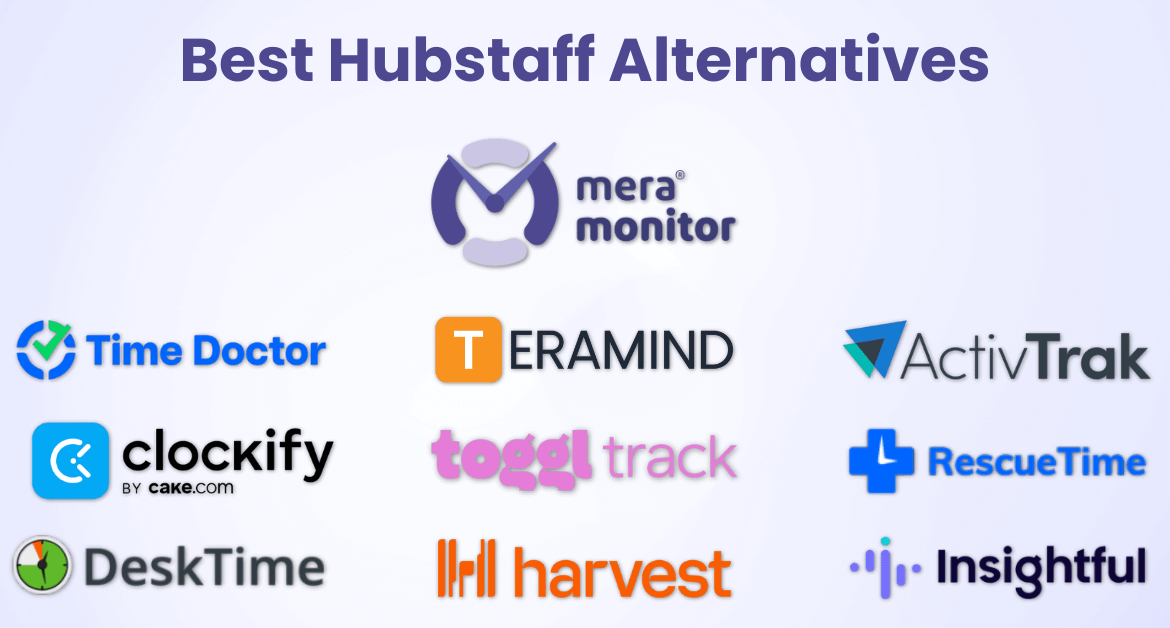
Below are commonly used Hubstaff alternative software options, grouped by how teams typically use them.
1. Mera Monitor

Mera Monitor is built for teams that want clear visibility into productivity and work patterns, without relying solely on screenshots or raw time tracking.
Unlike Hubstaff, which focuses heavily on time and activity enforcement, Mera Monitor emphasizes context, trends, and actionable insights—helping managers understand how work is actually getting done.
Key features of Mera Monitor
- Activity & Productivity Tracking – Tracks active time, idle time, and overall work patterns to help teams understand productivity trends.
- Application & Website Usage Insights – Shows which tools, apps, and websites are used most during work hours—useful for identifying focus areas and distractions.
- Productivity Scoring & Trends – Provides productivity indicators over time rather than one-off snapshots, enabling fairer performance discussions.
- Work Pattern Analysis – Helps identify workflow gaps, overload, or inefficiencies across teams and departments.
- Centralized Dashboards & Reports – Easy-to-understand reports designed for managers and HR teams—not just technical users.
- Works Across All Work Environments – Suitable for office-based, hybrid, and remote teams without changing policies or setup.
How it differs from Hubstaff: Mera Monitor focuses less on surveillance and more on insight-driven workforce visibility, helping teams improve productivity without damaging trust.
Best fit for: Teams that want to support better decisions, performance conversations, and workforce planning using real activity data.
Keep in mind: Mera Monitor complements HR and time-tracking systems rather than replacing payroll-focused tools.
2. Time Doctor
Time Doctor is one of the most frequently compared Hubstaff competitors and offers a similar monitoring approach.
- Time tracking with screenshots and activity levels
- Detailed productivity and attendance reports
- Alerts for inactivity or unusual behavior
How it differs from Hubstaff: Provides more reporting options and alerts but follows a similar monitoring philosophy.
Best fit for: Teams that still want strict monitoring with deeper reporting.
Keep in mind: Screenshot-heavy tracking may not suit trust-driven cultures.
3. Teramind
Teramind extends beyond productivity into user behavior analytics and security monitoring.
- Tracks user behavior, file activity, and system actions
- Designed for compliance, risk management, and insider threat detection
How it differs from Hubstaff: More focused on security and compliance than productivity optimization.
Best fit for: Highly regulated or security-sensitive organizations.
Keep in mind: Often excessive if productivity tracking is the primary goal.
4. ActivTrak
ActivTrak focuses on productivity analytics rather than enforcement.
- Tracks application and website usage
- Highlights focus time, distractions, and workload patterns
- Provides trend-based insights for managers
How it differs from Hub staff: Minimal reliance on screenshots; stronger emphasis on trends and analytics.
Best fit for: Teams that want insight without intrusive monitoring.
Keep in mind: Not designed for payroll-driven time tracking.
5. Clockify
Clockify is a time tracking–first alternative.
- Manual and automatic time tracking
- Project- and task-based reports
- Easy to adopt and simple to use
How it differs from Hubstaff: No employee monitoring or surveillance features.
Best fit for: Teams that only need time logs.
Keep in mind: Limited productivity or behavioral insights.
6. Toggl Track
Toggl Track emphasizes simplicity and autonomy.
- Lightweight time tracking
- Clean dashboards and reports
- Minimal oversight features
How it differs from Hubstaff: Designed for self-managed, outcome-focused teams.
Best fit for: Trust-based teams and knowledge work.
Keep in mind: Not suitable where monitoring is required.
7. RescueTime
RescueTime focuses on individual productivity awareness.
- Tracks focus time and distractions
- Generates personal productivity reports
- Encourages self-improvement
How it differs from Hubstaff: Built more for individuals than for team oversight.
Best fit for: Knowledge workers and self-managed roles.
Keep in mind: Limited team-level visibility.
8. DeskTime
DeskTime blends time tracking with basic productivity metrics.
- Automatic time tracking
- App and website usage reports
- Optional screenshots
How it differs from Hubstaff: Simpler reporting and less configuration complexity.
Best fit for: Teams wanting basic monitoring without advanced analytics.
Keep in mind: Insights are more surface-level.
9. Harvest
Harvest is focused on time tracking and billing, not monitoring.
- Tracks time against projects and clients
- Generates invoices and billing reports
- Minimal oversight features
How it differs from Hubstaff: No screenshots or activity monitoring.
Best fit for: Client-service, agency, and billing-driven teams.
Keep in mind: Not intended for productivity analysis.
10. Insightful
Insightful offers a balanced approach to productivity tracking.
- Tracks activity and app usage
- Provides productivity reports and trends
- Supports office, hybrid, and distributed teams
How it differs from Hubstaff: Focuses more on insight and patterns than strict enforcement.
Best fit for: Teams transitioning away from heavy surveillance.
Keep in mind: Requires careful configuration to avoid over-monitoring.

How to Use This List
Instead of asking “Which Hubstaff alternative is best?”, ask:
- Do we need time enforcement or productivity understanding?
- How much monitoring fits our culture?
- What data will managers actually use?
Actionable advice: Shortlist 2–3 tools based on these questions, then test them using real workflows before making a final decision.
Hubstaff vs Other Monitoring & Productivity Tools
Hubstaff is strongest at time enforcement. Many alternatives focus more on productivity understanding and outcomes.
Time tracking is still growing fast as a category. Mordor Intelligence estimates the time tracking software market at USD 6.10B in 2025, forecast to reach USD 11.43B by 2030 (13.38% CAGR). That growth is why more teams are comparing “time enforcement” tools with “productivity insight” tools—and choosing based on how they actually manage performance.
Actionable advice: If managers don’t actively use Hubstaff reports today, switching tools alone won’t fix that. Expectations must change alongside the tool.
When Hubstaff Is Still the Right Choice
Hubstaff may still work well if:
- You manage hourly or contract-based work
- Payroll depends heavily on tracked time
- Strict compliance is required
When a Hubstaff Alternative Makes More Sense
Alternatives are often better if:
- Work is outcome-based
- Teams value autonomy
- Managers want insight, not surveillance
Practical insight: Many teams replace Hubstaff only to repeat the same problems because expectations never changed—just the software.
How to Choose the Right Hubstaff Alternative
Questions to Ask Before Switching
- What problem are we actually trying to solve?
- How much monitoring fits our culture?
- What data will managers really use?
Common Mistakes to Avoid
- Replacing one intrusive tool with another
- Choosing based on feature lists alone
- Rolling out tools without explaining why
Actionable advice: Clear communication before switching tools improves adoption more than any feature.
Final Thoughts
The best Hubstaff alternative isn’t the one with fewer screenshots or more features—it’s the one that fits how your team actually works.
Choose tools that help you manage better, not just measure more.
FAQs
The best Hubstaff alternatives depend on what you’re looking for. Some teams want less intrusive monitoring, while others want better productivity insights or simpler time tracking. Popular alternatives include productivity analytics tools, time-tracking-only tools, and workforce visibility platforms.
Companies often look for Hubstaff alternatives when monitoring feels too invasive, productivity insights are limited to hours worked, or the tool no longer aligns with team culture and management style.
Yes. Several Hubstaff alternatives provide productivity and activity insights without relying on screenshots. These tools focus more on work patterns, application usage, and trends rather than constant visual monitoring.
Tools that focus on productivity analytics rather than raw time tracking are often better for understanding how work happens. These alternatives provide insights into focus time, activity trends, and workflow patterns.
Yes. Hubstaff alternatives can be used by office-based, hybrid, and remote teams. Many tools are designed to support visibility and productivity insights regardless of where employees work.
Yes. Hubstaff is considered employee monitoring software because it tracks time, activity levels, and screenshots to measure work hours and productivity.
Yes. Many alternatives are designed to provide visibility into productivity trends without constant surveillance. These tools emphasize transparency, aggregated insights, and fair reporting.
Hubstaff combines time tracking with employee monitoring features like screenshots and activity tracking. Traditional time tracking software usually focuses only on logging hours without monitoring employee behavior.
Some Hubstaff alternatives offer free plans or basic versions with limited features. These typically include simple time tracking but may lack advanced reporting or productivity insights.
Pricing for Hubstaff alternatives varies based on features, number of users, and monitoring depth. Some tools charge per user per month, while others offer tiered or enterprise pricing.
Yes. Many Hubstaff alternatives integrate with payroll systems, project management tools, and accounting software to reduce manual work and improve accuracy.
Start by identifying why Hubstaff no longer fits your needs—whether it’s monitoring style, reporting limitations, or culture concerns. Then choose an alternative that directly addresses those gaps and is easy for teams to adopt.
Yes. Many Hubstaff alternatives are better suited for knowledge-based work because they focus on productivity trends, focus time, and outcomes rather than just hours logged.
Switching from Hubstaff is usually straightforward, but success depends on clear communication with employees, proper setup, and aligning expectations before rollout.
