Introduction
Time tracking didn’t suddenly become important because teams stopped working hard. It became important because work became harder to see.
Projects today span tools, time zones, hybrid schedules, and overlapping priorities. So when leaders say:
- “We need better visibility”
- “Timelines feel unpredictable”
- “Why are we chasing updates all the time?”
What they actually mean is simple:
👉 We don’t know where time is going.
After working with teams for more than 10+ years—across IT services, SaaS, agencies, and mid-sized enterprises—I’ve seen one pattern repeat: Time tracking only works when it’s designed for teams, not just individuals.
I’ve seen simple tools succeed. And I’ve seen expensive rollouts fail.
So this guide focuses on what actually works in real teams—not just feature lists.
Quick Picks: Best Time Tracking Software (2026)
If you’re short on time, here’s a quick shortlist:
- Best for visibility beyond timesheets: Mera Monitor
- Best for simplicity: Toggl Track
- Best free tool (Basic Time Tracking Features only): Clockify
- Best for invoicing: Harvest
- Best for attendance & time clocking: Jibble
- Best for enterprise needs: Replicon
If you want a deeper breakdown of each tool, jump to the detailed reviews below.
Comparison of Top Time Tracking Software
Here’s a side-by-side comparison to help you narrow the field quickly.
| Tool | Best For | Free Plan | Starting Price | Key Strength | Limitation |
|---|---|---|---|---|---|
| Mera Monitor | Visibility + productivity context | No | $4/user/month | Combines time + work patterns | Integrations available via API (may need setup) |
| Toggl Track | Simplicity | Yes (up to 5 users) | ~$10/user/month | Clean UI, easy adoption | Limited approvals |
| Clockify | Budget teams | Yes (Limited Features) | ~$4.99/user/month | Affordable, scalable | Limited insights |
| Harvest | Billing & invoicing | Yes (1 user only) | ~$11/user/month | Strong billing workflows | Weak capacity planning |
| Jibble | Attendance tracking | Yes (Limited Features) | ~$5.99/user/month | GPS, biometrics | No scheduling |
| Replicon | Enterprise compliance | No | Custom pricing | Highly configurable | Complex setup |

Top Time Tracking Software for Teams (Detailed Reviews)
If you’re here for the tool-by-tool breakdown, this is where to focus.
Quick note: don’t treat this as a “ranking.” Treat it as a shortlist by use case—billing, simplicity, enterprise controls, or visibility beyond timesheets.
Below is a team-focused review of widely used tools. Each one follows the same structure so you can compare them easily.
1) Mera Monitor
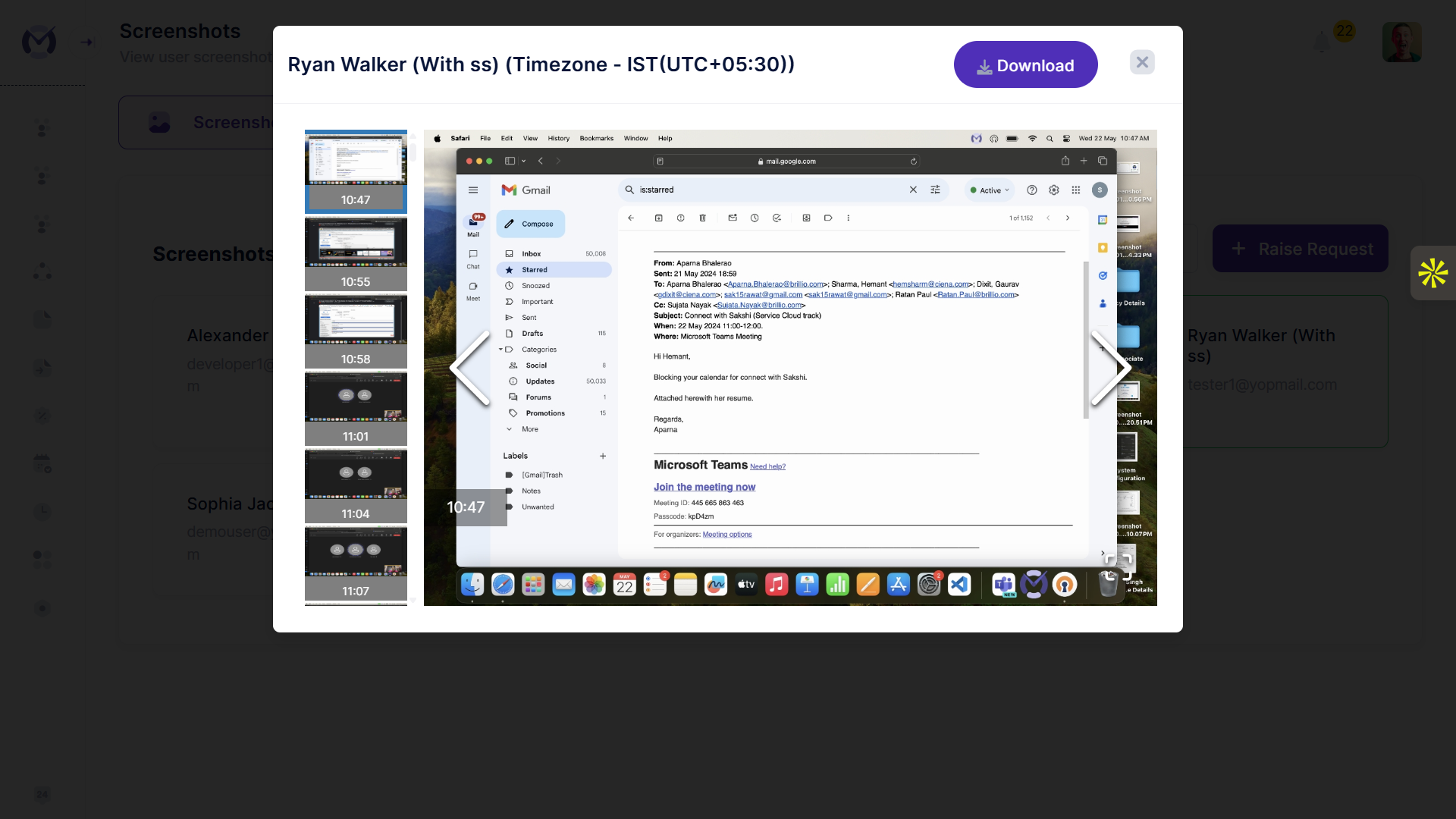
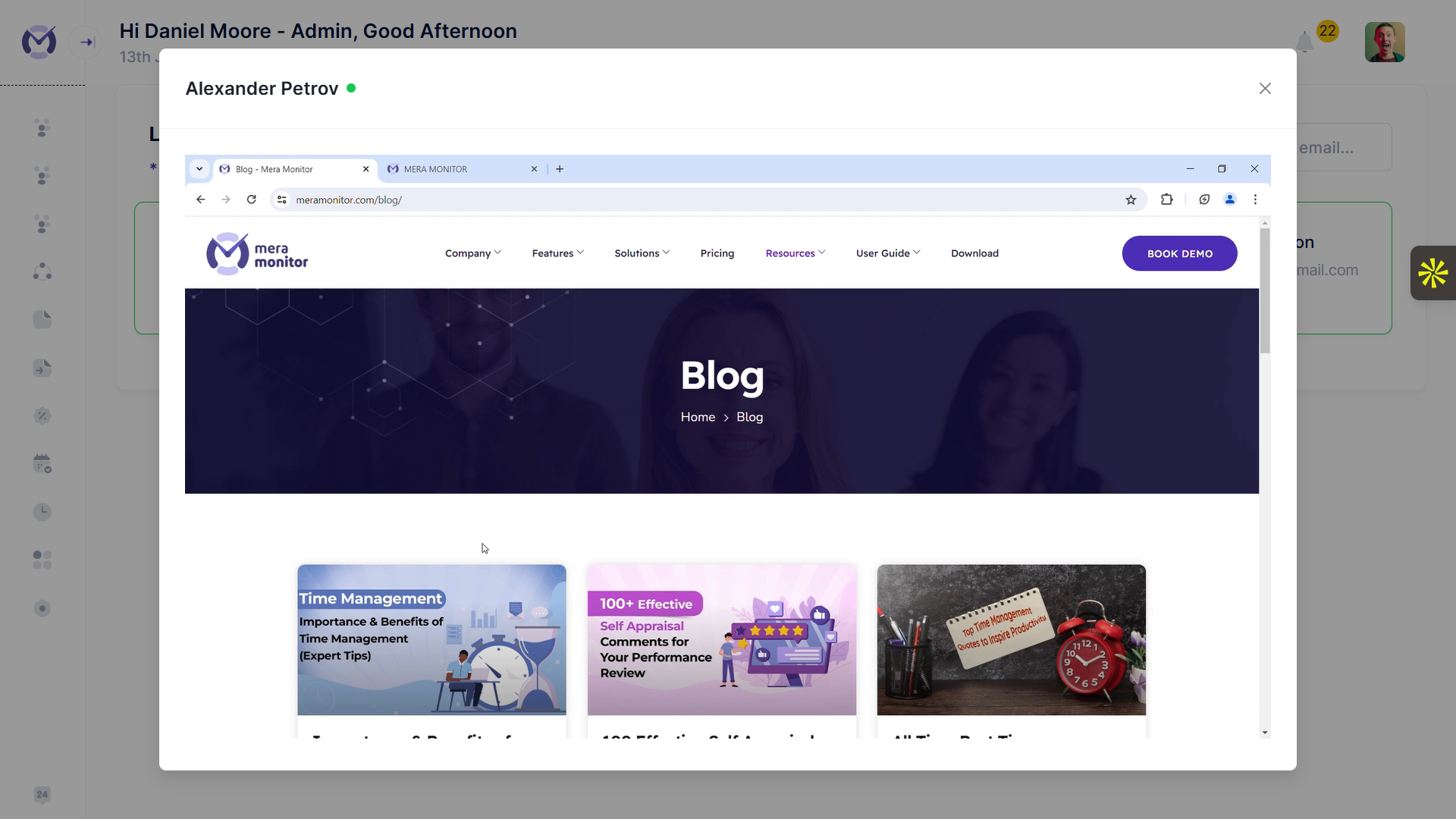
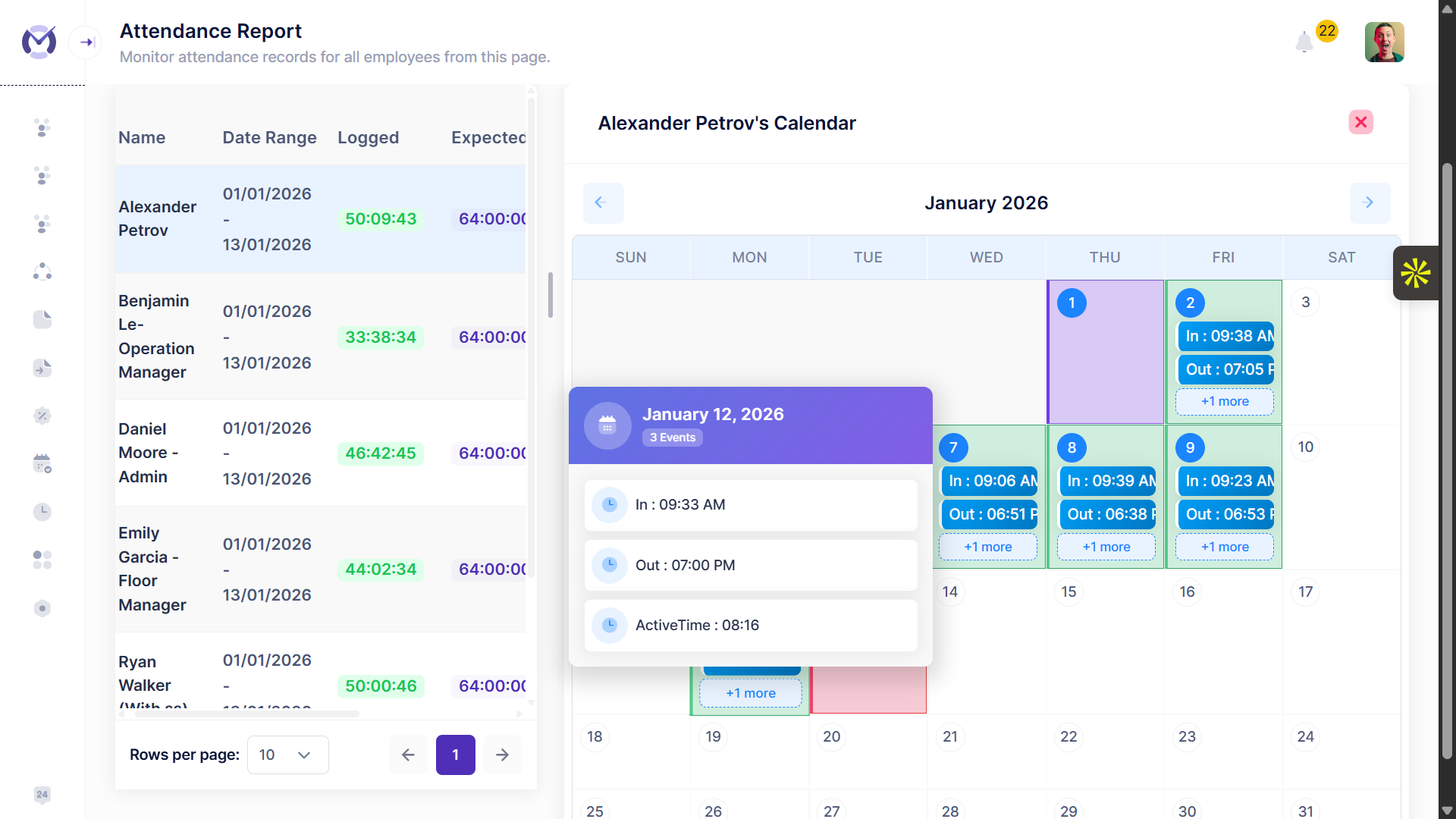
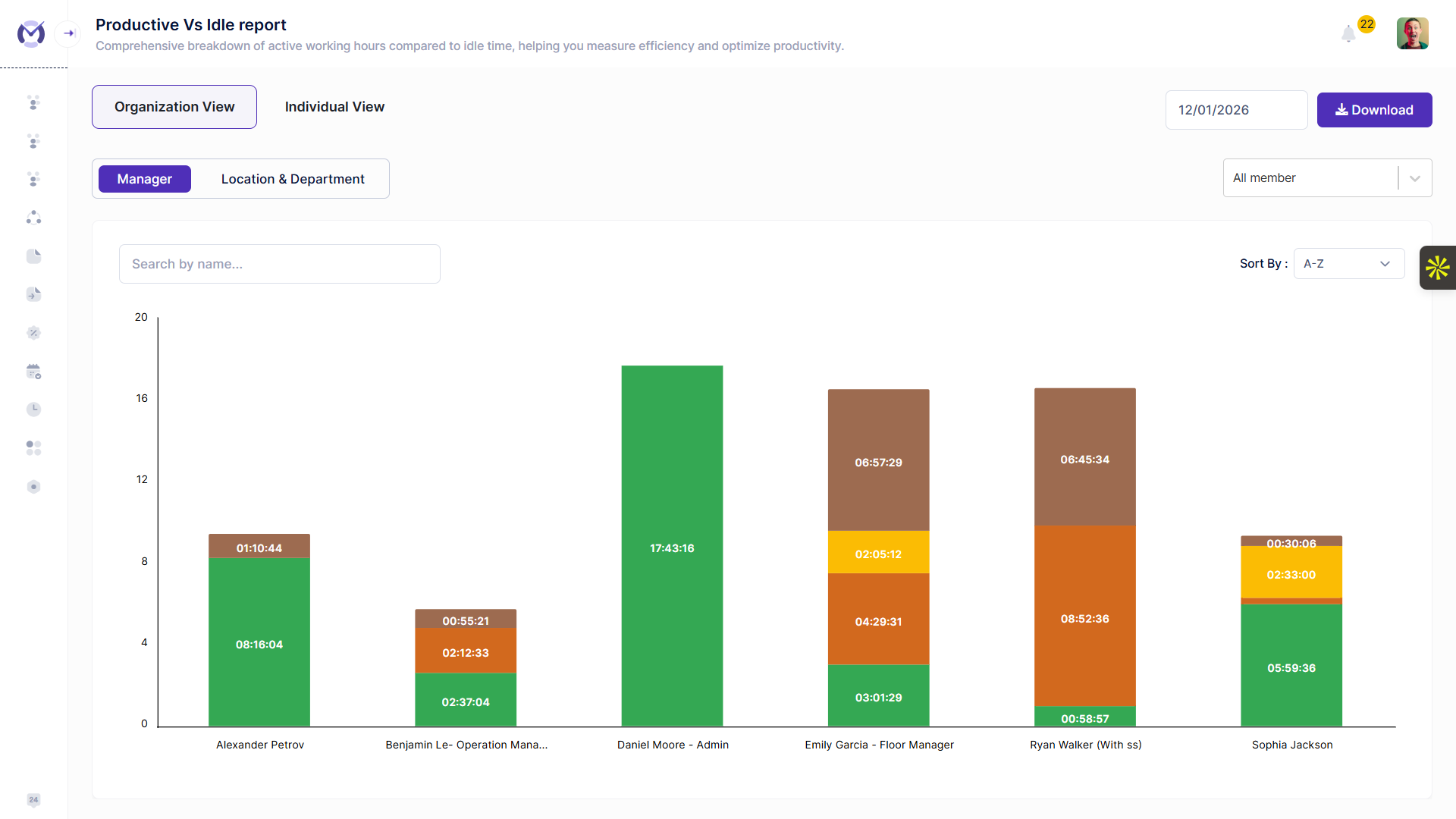
Best for
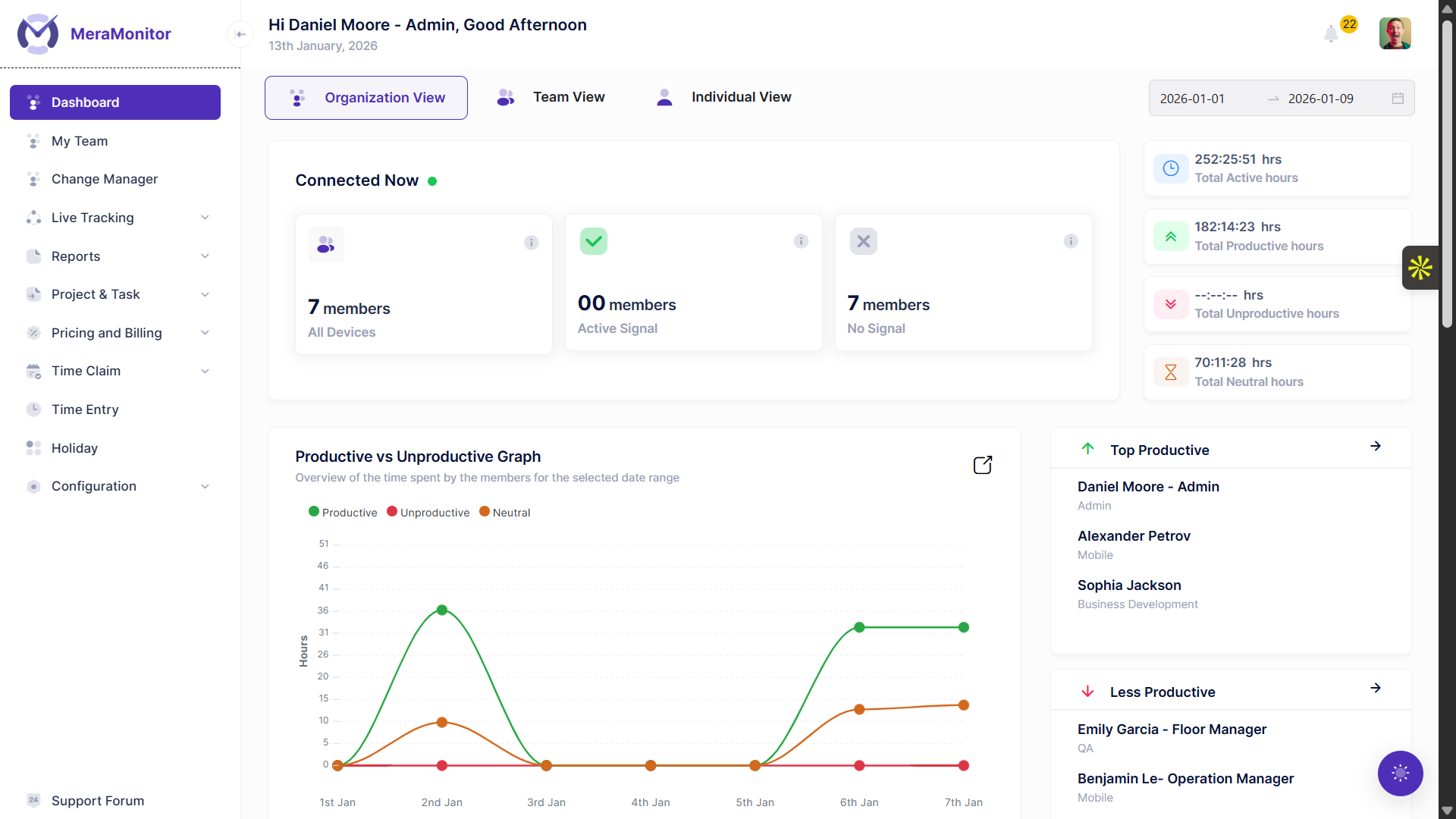
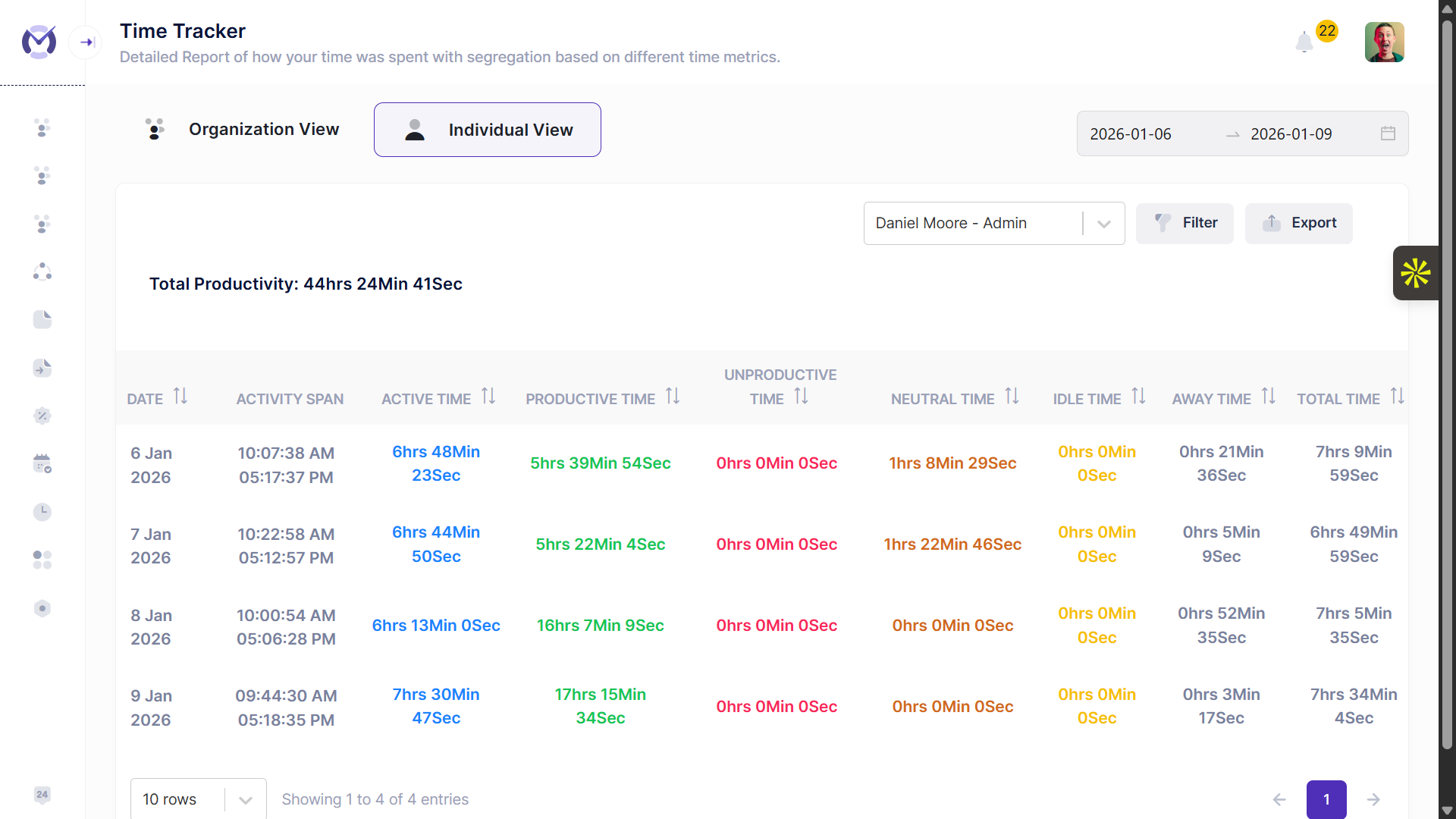
Teams that want time tracking plus productivity context (apps/web usage, activity trends, role-based reporting) in one workflow.
Standout strengths
- Automatic time tracking with auto-filled timesheets
- Time claims and approval workflows with role-based access (Admin, Report Admin, CXO, User)
- Online and offline tracking with app and web productivity classification across remote, hybrid, and office work modes
Watch-outs
- API-based integrations may need initial setup depending on your workflow
- Data retention is listed as up to three months on standard plans
Integrations
API access, SSO, and integration support are listed.
Pricing snapshot
$4/user/month (billed monthly)
$3/user/month (billed annually)
Enterprise: Custom pricing
Choose this if…
If your problem isn’t just “log hours” but “remove blind spots,” Mera Monitor is a logical next step.
10+ year insight: There’s a clear tipping point where leadership stops asking “how many hours?” and starts asking “why are timelines slipping?” That’s where pairing time data with productivity context changes the conversation from blame to improvement.
I have tried around 20 different tools to track my team’s productivity, and hands down, Mera Monitor is the best!
2) Toggl Track
Best for
Teams that want a polished, widely adopted time tracker with strong reporting and integrations.
Standout strengths
- Multiple tracking options: web, desktop, mobile, and timesheets
- Clear reports for projects, clients, and teams
- Strong ecosystem of native integrations
Watch-outs
- Timesheet approvals and governance features require higher-tier plans
- Free plan is limited to five users
Integrations
Jira, Salesforce, QuickBooks, calendar tools, and more (plan-dependent).
Pricing snapshot
Free (up to 5 users)
Paid plans start around $10/user/month
Choose this if…
You want a reliable, well-known team time tracker without productivity monitoring .
3) Clockify
Best for
Cost-conscious teams that want scalable time tracking with optional admin controls.
Standout strengths
- Affordable paid plans with approvals and time-off tracking
- Browser-based tracking across many web apps
- Simple setup and straightforward usage
Watch-outs
- Advanced workflows depend heavily on plan tier
- Limited depth in project profitability insights
Integrations
100+ web apps via browser extension.
Pricing snapshot
Free plan available but with basic time tracking features.
Paid plans start around $4.99/seat/month (monthly billing)
Choose this if…
You want a budget-friendly team tracker and are comfortable adding structure through the process.
Ggreat tool for small teams needing time tracking for client billing. It runs quietly in the background, takes timely screenshots, and lets us export project-level reports.
4) Harvest
Best for
Teams focused on time-based billing and invoicing.
Standout strengths
- Strong link between time tracking and invoicing
- Simple, easy-to-adopt interface
- Commonly used by agencies and professional services teams
Watch-outs
- Limited customization and advanced reporting
- Not ideal for long-term capacity planning
Integrations
Accounting and payment integrations are a core strength.
Pricing snapshot
Free plan: 1 user, basic features
Paid plans start around $11/user/month (monthly billing)
Choose this if…
Your workflow starts with time tracking and ends with invoices and billing.
5) TrackingTime
Best for
Small teams that want time tracking with lightweight project organization.
Standout strengths
- Free plan available for teams
- Built-in task and project features
- Shareable reports for internal and client use
Watch-outs
- Limited enterprise controls
- Budgeting and approvals are basic
Integrations
Tracking inside multiple apps via extensions.
Pricing snapshot
Free Trial available; paid plans start around –$5/user/month
Choose this if…
You want simple project-oriented time tracking without heavy administration.
6) QuickBooks Time
Best for
Teams are already using QuickBooks for payroll and accounting.
Standout strengths
- Tight QuickBooks integration
- Job costing and payroll alignment
- Suitable for field and shift-based teams
Watch-outs
- Base fee plus per-user pricing can become expensive
- Less intuitive for desk-heavy knowledge workers
Integrations
Best suited for teams deeply embedded in the QuickBooks ecosystem.
Pricing snapshot
Starting Plan~$19/user/month
Choose this if…
Accounting and payroll drive your software decisions.
7) TimeCamp
Best for
Teams looking for low-cost time tracking with billing fundamentals.
Standout strengths
- Competitive pricing
- Invoicing and export options
- Frequently listed in team time tracking comparisons
Watch-outs
- Governance and approval depth varies by plan
- Integrations should be validated carefully
Integrations
Available across common business tools.
Pricing snapshot
Starts around $2.49/user/month (annual billing)
Choose this if…
Budget matters more than advanced workflow control.
One of the easiest software to accurately track attendance on time and identify the best-performing employees with the highest potential.
8) Replicon
Best for
Large organizations with complex compliance and reporting needs.
Standout strengths
- Enterprise-grade configurability
- Strong compliance and audit capabilities
- Designed for large, distributed teams
Watch-outs
- Higher setup and admin overhead
- Steeper learning curve
Integrations
Designed to integrate into existing enterprise systems.
Pricing snapshot
Typically depending on modules
Choose this if…
You need structure, compliance, and scale more than simplicity.
Replicon has streamlined our time tracking and project management. The user-friendly interface and robust features have significantly improved our productivity.
9) Jibble
Best for
Teams that want effortless attendance tracking and time clocking.
Standout strengths
- Free forever plan for unlimited users
- Biometric verification and GPS/geofencing reduce buddy-punching
- Automatically calculates work hours, overtime, and breaks with payroll integrations
Watch-outs
- No built-in scheduling or shift planning
- Limited report customization and sharing
Integrations
Xero, QuickBooks, and other payroll/accounting tools.
Pricing snapshot
Free plan available but with limited features.
Paid: Starts at $5.99/user/month (Monthly)
Choose this if…
You need a simple, reliable time clock system that works immediately, especially for mobile teams.
One of the best features of this app is that it tracks the time of your employees using a special feature called Log-In Log-Out.
10) My Hours
Best for
Teams that prioritize simplicity and clean reporting.
Standout strengths
- Clear approval workflows on paid plans
- Budget and cost tracking
- Frequently praised for ease of use
Watch-outs
- Approval and audit features are not on the free plan
- Advanced integrations should be confirmed
Integrations
Includes integrations with tools like Asana.
Pricing snapshot
Free Plan Avalaible (Up to 5 Users).
Paid plans start from –$5/user/month
Choose this if…
You want consistent team time logging without complexity.
What “Time Tracking Software for Teams” Really Means in 2026
Let’s clear up a common misconception.
Time tracking is not about running timers all day. It’s about creating shared clarity across work.
Here’s the difference:
- Personal tools → track individual effort
- Attendance tools → track presence
- Team time tracking → connects time → projects → approvals → reports → decisions
If a tool doesn’t complete that loop, teams stop using it.
And the need is real.
According to Asana’s Anatomy of Work Index, 60% of a person’s time at work is spent on “work about work,” not skilled work.
This gap is exactly why many teams feel busy—but still miss deadlines.
That’s where time tracking helps—not by adding control, but by removing confusion.
See How Modern Time Tracking Works in Practice
- Track time automatically
- Review clean, auto-filled timesheets
- Spot patterns across apps and projects
Want to try this with your team’s workflow?
See how your team’s time actually gets distributed across projects and tools.
Start your free trial — no setup friction, no manual tracking.
The 4 Real Jobs Teams Hire Time Tracking Software To Do
When teams say “we need time tracking,” they’re usually describing symptoms.
The real reason always falls into one of these four jobs.
1) Project Cost Visibility
“Are we spending the right amount of effort?”
This is the most common—and most under-discussed—reason.
Teams want to know:
- Which projects are overrunning
- Where scope creep is happening
- Whether effort matches expectations
Good tools help you:
- Track time by project and task
- Compare planned vs actual
- Catch issues early
I’ve worked with teams that only realized they were over budget when the project was already 80% complete. Once they started reviewing time weekly, they caught overruns early—and avoided margin loss entirely.
2) Capacity Planning
“Do we actually have bandwidth?”
Most teams don’t fail because people aren’t working. They fail because work is unevenly distributed.
In fact, Microsoft’s Work Trend Index research shows 30% of meetings now span multiple time zones, and meetings starting after 8 pm are up 16% year over year.
Time tracking helps:
- Surface hidden work
- Show real effort vs assumptions
- Identify overload early
One team I worked with kept missing deadlines. When we analyzed time data, two team members were overloaded across multiple projects, while others had unused capacity. A simple redistribution improved delivery within two weeks.
3) Billing Accuracy
“Are we getting paid correctly?”
For service teams, poor time tracking directly impacts revenue.
Common issues:
- Logging time late
- Inconsistent categories
- Missing approvals
Good systems:
- Standardize time entry
- Add approval workflows
- Create audit trails
Result: Fewer disputes, faster payments, better trust.
4) Productivity Clarity
“What’s slowing us down?”
This is the most misunderstood—and most valuable—job.
It’s not about watching people. It’s about understanding patterns.
One of the biggest patterns teams underestimate is communication load. A McKinsey analysis cited by Harvard Business Review found the average professional spends 28% of the work day reading and answering email.
Time data reveals:
- Repetitive low-value work
- Context-switching overload
- Effort vs outcome gaps
Teams that ask “what should we change?” improve.
Teams that ask “who is the problem?” lose trust.
Best Time Tracking Software by Use Case
Not every team needs the same tool.
The right choice depends on how your team works and what problem you’re solving.
1) Best for Remote Teams
Recommended: Mera Monitor, Toggl Track
Remote teams need visibility without constant follow-ups.
Look for automatic tracking and clear activity insights.
If your problem is “I don’t know what’s happening without asking”, choose visibility-focused tools.
2) Best for Hybrid Teams
Recommended: Mera Monitor
Hybrid teams need consistency across office and remote work.
Choose tools that provide unified reporting without relying on location.
3) Best for Agencies & Service Teams
Recommended: Harvest, Toggl Track
If revenue depends on time, focus on:
- Billable tracking
- Client-wise reports
- Easy invoicing
4) Best for Startups & Small Teams
Recommended: Clockify, TrackingTime
Keep it simple:
- Easy to use
- Quick setup
- Low cost
At this stage, adoption matters more than features.
5) Best for Enterprise Teams
Recommended: Replicon
Large teams need:
- Role-based access
- Compliance
- Structured approvals
6) Best for Attendance & Field Teams
Recommended: Jibble, QuickBooks Time
Focus on:
- GPS tracking
- Mobile usage
- Accurate clock-in/out
7) Best for Productivity Insights
Recommended: Mera Monitor
When teams start asking “why is work slowing down?”, they need visibility into work patterns—not just time logs.
Quick Shortcut
- Billing issue → Harvest
- Visibility issue → Mera Monitor
- Budget constraint → Clockify
- Compliance need → Replicon
Define the problem first. The tool becomes obvious.
How to Choose the Right Time Tracking Software
Most teams don’t choose the wrong time tracking tool. They choose the right tool for the wrong reasons.
Over the years, I’ve seen teams pick software because:
- “It’s popular”
- “It’s cheap”
- “It has the most features”
- “Another team is using it”
And then quietly abandon it six months later.
A better approach is to evaluate time tracking software the way you’d evaluate a process change—because that’s exactly what it is.
Step 1: Start with your team’s reality, not the feature list
Before looking at tools, get clear on how work actually happens today.
Ask simple, honest questions:
- Is most work project-based, support-based, or a mix?
- Are people working remotely, in-office, or hybrid?
- Do teams switch between many tools during the day?
- Are deadlines slipping—or is the issue mostly visibility?
From experience: Teams that skip this step end up forcing their workflow to fit the tool instead of choosing a tool that fits their workflow.
If your reality is messy, choose software that tolerates mess—not something that demands perfect discipline on day one.
Step 2: Define your “non-negotiables” for team usage
Time tracking software breaks down when it’s built for individuals but rolled out to teams.
At a minimum, team-ready software should support:
- Simple time capture
Real-time tracking, timesheets, or both—without friction - Project and task tagging
So time can be analyzed, not just logged - Timesheet submissions and approvals
This is where most tools fail in real usage - Clear reporting
Reports should answer questions, not create more of them
If a tool doesn’t handle approvals cleanly, managers will chase updates manually—and adoption will drop fast.
Step 3: Evaluate reporting by the questions it answers
Don’t ask, “Does this tool have reports?”
Ask, “What decisions can we make from these reports?”
Good team reports should help you answer:
- Where is time going this week vs last week?
- Which projects are drifting?
- Where is effort increasing without results?
- Who needs support—not scrutiny?
10+ year rule of thumb: If a report can’t be understood in under 30 seconds, it won’t be used consistently.
Avoid tools that dump raw data without context. Insight beats volume every time.
Step 4: Check how the tool handles the “Friday evening test”
Here’s a test I always recommend during trials:
The Friday 6 PM test
- Can team members submit their timesheets in under 2 minutes?
- Can managers approve without opening 5 screens?
If the answer is no, the tool will feel like admin work—and teams will avoid it, no matter how good the dashboard looks.
This is also where auto-filled timesheets, reminders, and approval workflows matter more than fancy dashboards.
Step 5: Don’t ignore governance, roles, and visibility
As teams grow, who sees what becomes as important as what’s tracked.
Look for:
- Role-based access (team member vs manager vs leadership)
- Clear audit trails (who edited what, when)
- Data ownership and retention policies
- Export options for finance or compliance needs
Seen too often: Teams choose a “simple” tool early, then struggle when leadership asks for structured reports or accountability later.
Step 6: Integrations matter—but only the right ones
Most teams don’t need many integrations. They need the right ones.
Typically important:
- Project management tools
- Accounting or payroll systems
- Identity and access (SSO)
Nice-to-have but rarely critical:
- Dozens of niche app connections
- Deep automation before basics are stable
A good rule: If integration saves manual effort every week, it matters. If it just looks impressive on a pricing page, it doesn’t.
Step 7: Consider culture and trust—seriously
Time tracking fails fastest when it feels like surveillance.
Before rolling out any tool, ask:
- How will we explain why we’re tracking time?
- Will data be used to improve processes—or judge individuals?
- Are we transparent about what’s tracked and what’s not?
Hard-earned lesson: Tools don’t damage trust. Poor communication does.
Choose software that allows transparency, flexibility, and role-based visibility—so tracking feels supportive, not punitive.
Step 8: Match the tool to the “job” you need done
Bring this back to the four real jobs:
- Project cost visibility
- Capacity planning
- Billing accuracy
- Productivity clarity
Some tools do one job very well. Others try to connect multiple dots.
There’s no wrong choice—only a mismatch between expectations and reality.
This is also the point where teams sometimes outgrow basic trackers and look for solutions that combine time, work context, and outcomes—without adding overhead.
Final advice before you decide
Don’t optimize for:
- The longest feature list
- The lowest price
- The flashiest UI
Optimize for:
- Ease of weekly usage
- Quality of decisions enabled
- Long-term adoption
If a tool makes your managers chase less, your teams explain less, and your plans become more predictable—you’ve chosen well.
Common Mistakes Teams Make
- Tracking without intent → define what reports will be reviewed and when
- Managers chasing updates → use approvals and exception-based reviews
- Too much data, no insight → focus on trends, not raw logs
Real example: One team reduced weekly timesheet chasing from 20 minutes to zero by introducing approvals, automated reminders, and a short exception review.
Why Mera Monitor Becomes the Natural Next Step
At some point, teams stop asking “how much time was logged?” and start asking “why is work slowing down?”
- Why are timelines slipping?
- Why does similar work take different effort?
- Where is productivity actually dropping?
This is the point where basic time tracking tools start falling short.
Basic trackers tell you how long work took. They rarely explain why delivery slips or productivity dips.
When teams start asking:
- Why are certain apps consuming so much time?
- Why do similar projects take different effort?
- Why does productivity fluctuate mid-week?
That’s when combining time tracking with productivity context changes decisions—from reactive to proactive.
Final Thought
There’s no “best” time tracking software.
There’s only:
- The tool that fits your team
- The tool your team actually uses
- The tool that helps you make better decisions
Start with clarity—not control.
FAQs
The best time tracking software for teams depends on what you’re trying to achieve. Some tools focus on simple time logging, others on billing, and some combine time tracking with productivity and project visibility. The right choice is the one that fits your team size, work style, and decision needs—not just the most popular name.
Personal time trackers are designed for individual use—tracking one person’s hours. Team time tracking software adds shared projects, standardized categories, approval workflows, reporting, and role-based visibility so managers and leadership can make decisions without chasing updates.
Teams usually don’t need time tracking to “work harder.” They need it to work predictably . Time tracking helps teams understand where effort goes, identify bottlenecks, plan capacity, and avoid surprises in delivery, billing, or workload.
No. Billing is just one use case. Many teams use time tracking to improve project planning, balance workloads, identify inefficiencies, and gain visibility into how work actually happens—especially in remote or hybrid environments.
Adoption improves when:
Time entry is quick and low-effort
Timesheets are reviewed consistently
The purpose of tracking is clearly explained
Data is used to improve processes, not police people
Tools with auto-filled timesheets, reminders, and approvals tend to see higher adoption.
At a minimum, team-ready time tracking software should include:
Easy time capture (timer or timesheets)
Project and task tagging
Timesheet submission and approval workflows
Clear, actionable reports
Role-based access for visibility and governance
Automatic time tracking reduces effort and improves accuracy, especially for teams that forget to log time. However, many teams prefer a mix—automatic tracking for capture, combined with manual review and approval to ensure context and accuracy.
Time tracking shows where time is actually spent—not where it’s assumed to be spent. Over time, this data helps teams identify overload, hidden work, and underutilization, making it easier to rebalance tasks and plan future work realistically.
It can—if rolled out poorly. Time tracking works best when teams understand why it’s used and how data will (and won’t) be used. Transparency, role-based visibility, and focusing on patterns instead of individuals help maintain trust.
Attendance tracking focuses on presence (clock-in/clock-out). Time tracking focuses on how time is spent across work, projects, and tasks . Many teams use attendance tools for compliance and time tracking tools for planning, productivity, and delivery insights.