Introduction
If you’ve ever ended your day thinking, “I was busy all day… but what did I actually accomplish?” — you’ve already experienced the effects of context switching.
After working with remote, hybrid, and in-office teams for more than 10 years, I’ve seen that the biggest productivity drain isn’t lack of skill or motivation. It’s the constant jumping between tasks, tools, conversations, and mental modes.
And the worst part? Most people don’t even realize it’s happening.
This guide breaks down context switching in simple terms — what it is, why it silently destroys productivity, and what you can do today to fix it.
What Is Context Switching?
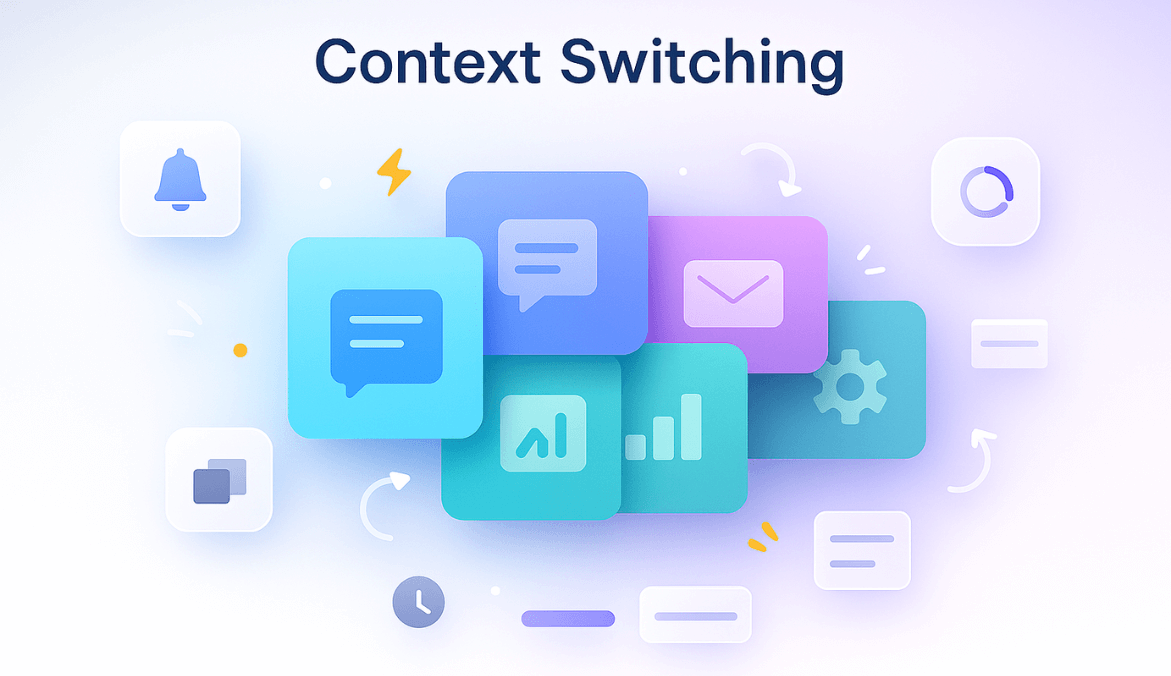
Context switching happens when your brain is forced to rapidly shift between tasks, tools, or types of work.
- Writing a report
- Slack ping
- Email notification
- “Quick” call
- Back to the report
- Meeting
- More Slack
Each switch forces your mind to reset, reload, and refocus — over and over again.
Context Switching vs Multitasking vs Task Switching
- Task Switching – intentionally moving between tasks
- Multitasking – trying to do two tasks at the same time (rarely works)
- Context Switching – jumping between different mental modes (creative → administrative → technical → communication)
Context switching is the most harmful because your brain doesn’t fully “let go” of the previous task before it jumps into the next.
Actionable Advice: Sort your work into “modes” — deep work, communication, admin, creative — and batch similar tasks together. You’ll reduce cognitive friction dramatically.
The Hidden Cost of Context Switching
Context switching hurts more than we realize — cognitively, emotionally, and financially.
1. Cognitive Cost: Attention Residue
Psychologist Dr. Sophie Leroy’s research shows that when you switch tasks, part of your attention stays attached to the previous task. This is known as attention residue, and it slows down your thinking.
The American Psychological Association notes that task switching can reduce productivity by up to 40% — simply because your brain has to keep resetting.
2. Emotional Cost: Stress & Burnout
Constant switching makes your brain feel like a browser with 25 tabs open. You’re working… but always in fragments.
Recent literature on digital fatigue shows that constant digital tool usage — common in high-context switching environments — leads to lower output, higher stress and fatigue among employees.
3. Business Cost: Delays, Errors & Wasted Time
Teams with high context switching often struggle with:
- Missed deadlines
- Inconsistent output
- Extended project timelines
- Higher error rates
- Feeling busy, but falling behind
Real-Life Insight: Across teams I’ve managed, context switching never showed up in weekly reports. It showed up in people saying: “I worked the whole day but don’t know what I achieved.
Actionable Advice: Pick one hour of your day and record how many times you switch apps. If the number crosses 15–20, context switching is draining your time.
Why We Context Switch So Much
Context switching isn’t always a personal habit — it’s often a system issue.
1. Too Many Tools
Most teams juggle 10–25 tools a day. Every tool becomes a potential distraction doorway.
2. Notification Overload
Slack, email, WhatsApp, Teams, calls — modern work is built on interruptions.
3. Unclear Priorities
If everything is a priority, your brain keeps bouncing between “urgent” tasks.
4. Meeting-Heavy Culture
Back-to-back meetings destroy deep work blocks.
Real-Life Insight: After 10+ years of working with cross-functional teams, I can confidently say: Context switching is rarely a discipline issue. It’s a workflow issue.
Actionable Advice: Silence non-essential notifications for 90 minutes every day. This alone improves focus more than any productivity tip.
Signs Context Switching Is Hurting You or Your Team
Personal Signs
- You feel busy, not productive
- You restart the same task multiple times
- You get mentally tired early
- You struggle to finish deep work tasks
Team-Level Signs
- Many tasks are “in progress,” few completed
- High meeting load, low clarity
- Constant “quick questions” interrupting people
- Low focus time across the team
Actionable Advice: If your team experiences “work fragmentation,” measure it for one week. Patterns appear surprisingly fast.
How to Measure Context Switching (Accurately)
Most articles talk about context switching — few explain how to measure it. But measurement is where real improvement begins.
Studies show you need ~23 minutes to get back in flow after an interruption — that’s the real time-cost of context switching.
Here are the most useful indicators:
1. Metrics That Reveal Context Switching
- App switches per hour
- Number of tasks/projects touched per day
- Average focus session length
- Interruptions per hour
- Meeting hours per day
- Work-in-progress (WIP) per person
2. What Healthy Patterns Look Like
- Deep work blocks: 45–120 minutes
- App switching: < 10–12 per hour
- Major tasks: < 3 per day
Real-Life Insight: From experience, teams that track just 2–3 of these metrics gain clarity almost instantly.
Actionable Advice: Start by tracking just one metric: “Tasks touched per day.” If the number is consistently 10+, you have a switching problem.
Types of Contexts Switching in Modern Work
1. Internal Switching
Self-interruptions. (“Let me quickly check email before continuing…”)
2. External Switching
Interruptions from messages, calls, teammates.
3. Planned vs Unplanned Switching
Planned = meetings.
Unplanned = firefighting, urgent requests.
4. Mode Switching
Switching mental modes: strategy → admin → technical → creative.
Actionable Advice: Group your tasks by mode — this alone reduces friction and improves output.
How to Reduce Context Switching (The Practical Framework)
1. At the Individual Level
- Time block deep work
- Batch emails and messages
- Reduce open tabs and apps
- Use do-not-disturb focus blocks
2. At the Team Level
- Set WIP limits
- Establish communication rules
- Reduce unnecessary meetings
- Create shared focus hours
3. At the Organizational Level
- Consolidate tools
- Clarify priorities weekly
- Avoid last-minute fire drills
Actionable Advice: Try “No Meeting Mornings” twice a week. Most teams see a noticeable productivity boost within two weeks.
Using Data & Tools to Reduce Context Switching (Ethically)
Productivity tools and monitoring platforms like Mera Monitor, (used ethically) can uncover switching patterns you’d never see otherwise.
1. What Data Helps
- Deep work hours
- Fragmented time
- App usage patterns
- Idle time vs active time
- Meeting load analysis
2. How to Use Data Without Spying
- Focus on workflows, not individuals
- Share insights transparently
- Use data to redesign schedules, not to micromanage
Real-Life Insight: One method that consistently worked across my teams was reviewing context switching patterns as a group — not individually. This built trust and improved workflow habits quickly.
Actionable Advice: Run a weekly “Focus Review” meeting where you discuss interruptions, not performance.
A 30-Day Plan to Reduce Context Switching
Week 1: Diagnose
Track app switches, interruptions, and tasks touched.
Week 2: Simplify
Remove unnecessary tools. Clarify top 3 priorities.
Week 3: Protect Focus
Implement focus hours. Reduce random interruptions.
Week 4: Measure & Improve
Compare new metrics with week 1. Adjust workflows accordingly.
Common Mistakes to Avoid
- Treating context switching as a personal failure
- Adding more tools to fix too many tools
- Over-monitoring people instead of improving workflows
- Expecting deep work in interruption-heavy cultures
Conclusion
Context switching isn’t a character flaw — it’s a systemic productivity drain. But once you measure it, understand it, and redesign work around focus, everything changes.
After 10+ years working with different teams, one truth stands out: Teams that protect focus always outperform teams that protect busyness.
FAQs
It’s the repeated shifting between tasks, tools, or mental modes.
Research from the American Psychological Association shows losses up to 40%.
Use time blocking, reduce tools, set communication rules, and protect focus time.
Yes — productivity tools can reveal switching patterns and help teams redesign workflows without micromanaging.