Looking for a Better Hubstaff Alternative? Start Here
Compare Mera Monitor vs Hubstaff and see which tool actually gives you clear visibility, structured tracking, and better control over how work gets done.
- Time Doctor Alternative
Looking for a Better Time Doctor Alternative? Start Here
Compare Mera Monitor vs Time Doctor and see which tool actually gives you clear visibility, structured tracking, and better control over how work gets done.


- Decision Shortcut
Which One Should You Choose?
- Choose Mera Monitor if…
- You want reliable visibility you can trust for decisions — without worrying about inconsistent tracking or missing work context
- You want a system that supports productivity without making teams feel monitored or restricted
- You prefer a tool that adapts to different roles and ways of working — not just screen-based activity
- You need insights that are easy to access and act on quickly, especially for reporting or billing
- You want a solution that’s easy to set up, adopt, and manage across teams
- You’re looking for clear value from both pricing and performance
- Choose Hubstaff if…
- You’re okay relying on activity-based tracking, even if it may not always reflect actual work outcomes
- You’re comfortable with structured tracking workflows, even for roles where output matters more than screen time
- Your team works in consistent, screen-focused workflows where strict tracking fits naturally
- You’re fine putting in extra steps to extract reports or analyze work data
- You’re okay investing time in setup, adjustments, and managing workflows over time
- You’re okay evaluating tools where pricing and overall value may vary based on usage and needs
- Why Hubstaff Alternative
Why Teams Start Looking Beyond Hubstaff
Tracking doesn’t always reflect actual work accurately
Inconsistent time logs, missed entries, or difficulty tracking work across tasks can reduce confidence in the data teams rely on.
Monitoring can feel misaligned with outcome-driven roles
For roles like sales or business development, strict screen-based tracking may not always align with how work and results are actually delivered.
Reporting can require extra effort to extract useful insights
Accessing project-level or billing data may involve multiple steps, making it harder for teams to quickly get the information they need.
User experience and setup can take time to adapt
Some teams find that navigating features or configuring workflows requires additional effort before they can fully adopt the tool.
Pricing and perceived value may not always align
Teams often evaluate alternatives when comparing overall cost with the level of flexibility, insights, and usability they expect.
- Core Comparison
Mera Monitor vs Hubstaff — Feature & Pricing Comparison
| Features | Mera Monitor | Hubstaff |
|---|---|---|
| Monitoring & Tracking | ||
| Live Dashboard & Analytics | ✓ | ✓ |
| Multi-Screen Monitoring | ✓ | ✓ |
| Automatic Time Tracking | ✓ | ✓ |
| App & Web Usage Tracking | ✓ | ✓ |
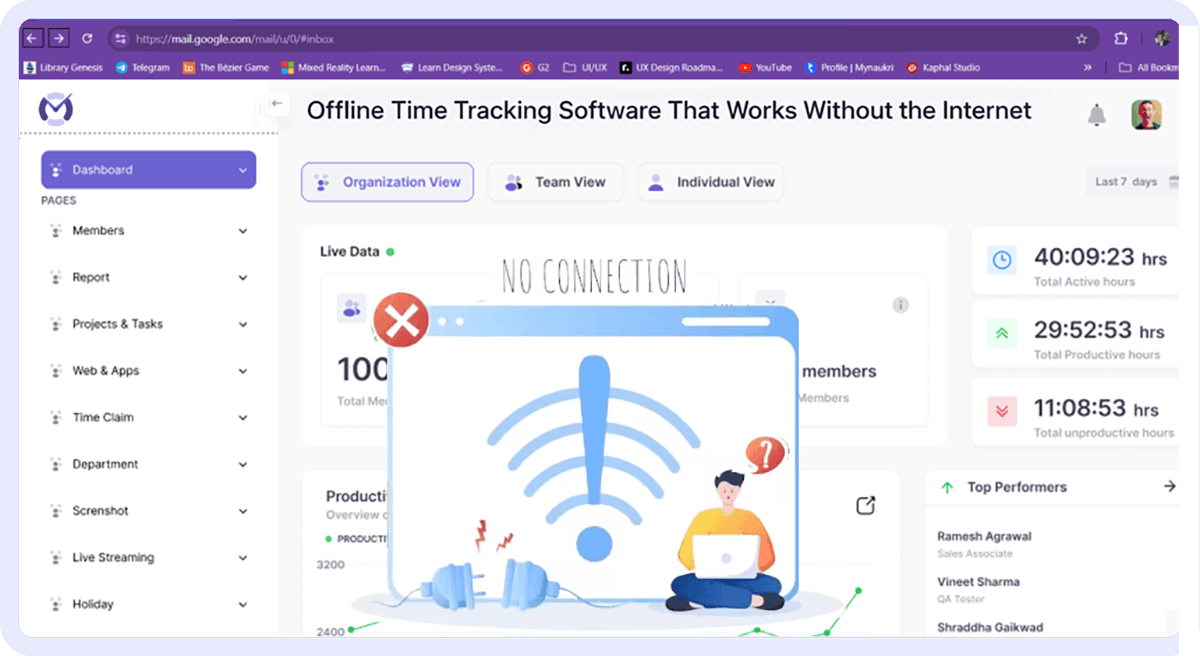
| Online / Offline Tracking | ✓ | ✓ |
| Live Streaming | ✓ | × |
| Stealth Mode | ✓ | × |
| User Activity Monitoring | ✓ | ✓ |
| Keyboard & Mouse Stroke Tracker | ✓ | × |
| Work Mode: Flexible Tracking | ✓ | × |
| Auto-Filled Timesheets | ✓ | × |
| Productivity & Insights | ||
| App & Web Productivity Classification | ✓ | ✓ |
| Deep Productivity Insights | ✓ | ✓ |
| Weekly Trends & Summary | ✓ | ✓ |
| Hourly Activity Timeline | ✓ | ✓ |
| AI-Powered Alerts & Reports | ✓ | Available via add-ons or higher plans |
| CXO Insights | ✓ | Available via add-ons or higher plans |
| Workforce & Attendance | ||
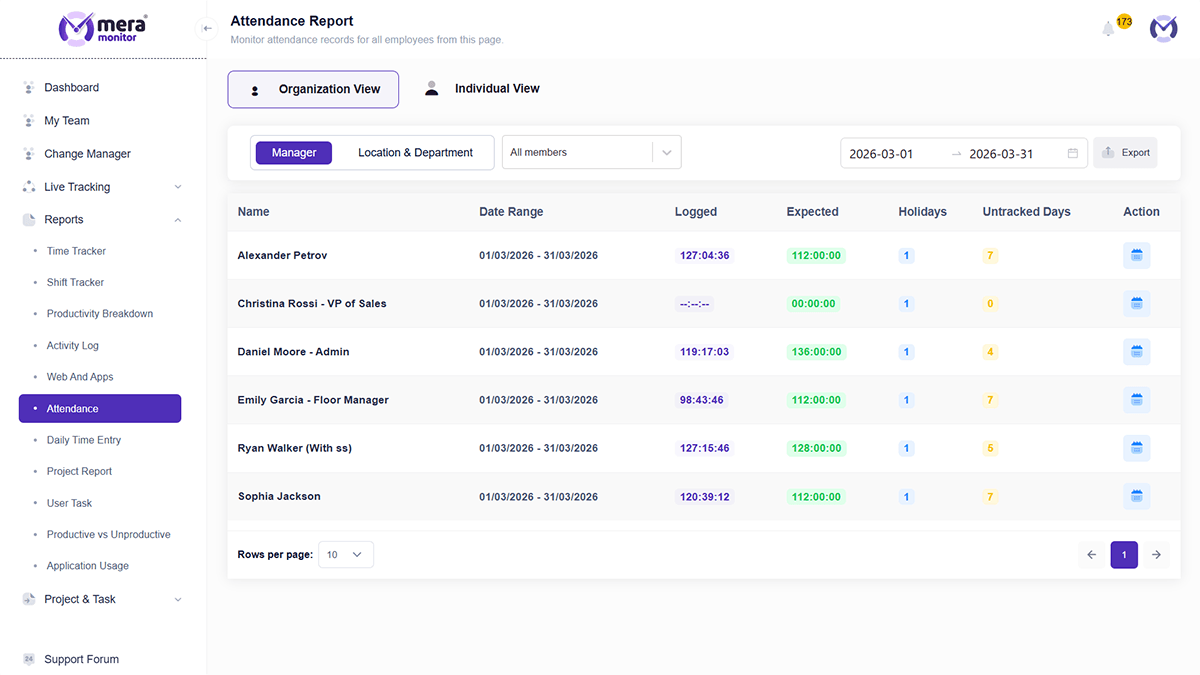
| Attendance Insights | ✓ | ✓ |
| Time Claims & Approvals | ✓ | ✓ |
| Smart Shift Monitoring | ✓ | ✓ |
| Stop Timer (Scheduled Breaks) | ✓ | ✓ |
| Control & Configuration | ||
| Role-Based Access | ✓ | ✓ |
| Bulk Settings Management | ✓ | × |
| Personal Device Tagging | ✓ | × |
| Real-Time Notifications | ✓ | ✓ |
| System & Enterprise | ||
| Single Sign-On | ✓ | ✓ |
| Private Cloud Configuration | ✓ | × |
| API Access | ✓ | ✓ |
| Dedicated Success Manager | ✓ | × |
| Data Retention (Up to 3 Months) | ✓ | × |
| Guided Setup & Onboarding | ✓ | ✓ |
| Pricing | ₹250/user/month billed annually | ₹473/user/month (approx) billed annually |
- Pricing Calculator
How Much Are You Actually Overpaying?
Even a small difference per user can significantly impact your total cost as your team grows.
- Getting Started
Ready to Switch from Hubstaff to Mera Monitor?
Set Up Your Workspace
Create your account and configure your organization settings from the admin dashboard.
Add Your Team
Add users individually or in bulk with essential details like name, email, and role.
Activate Users
Send activation emails so team members can activate their accounts and get started.
Start Tracking Work
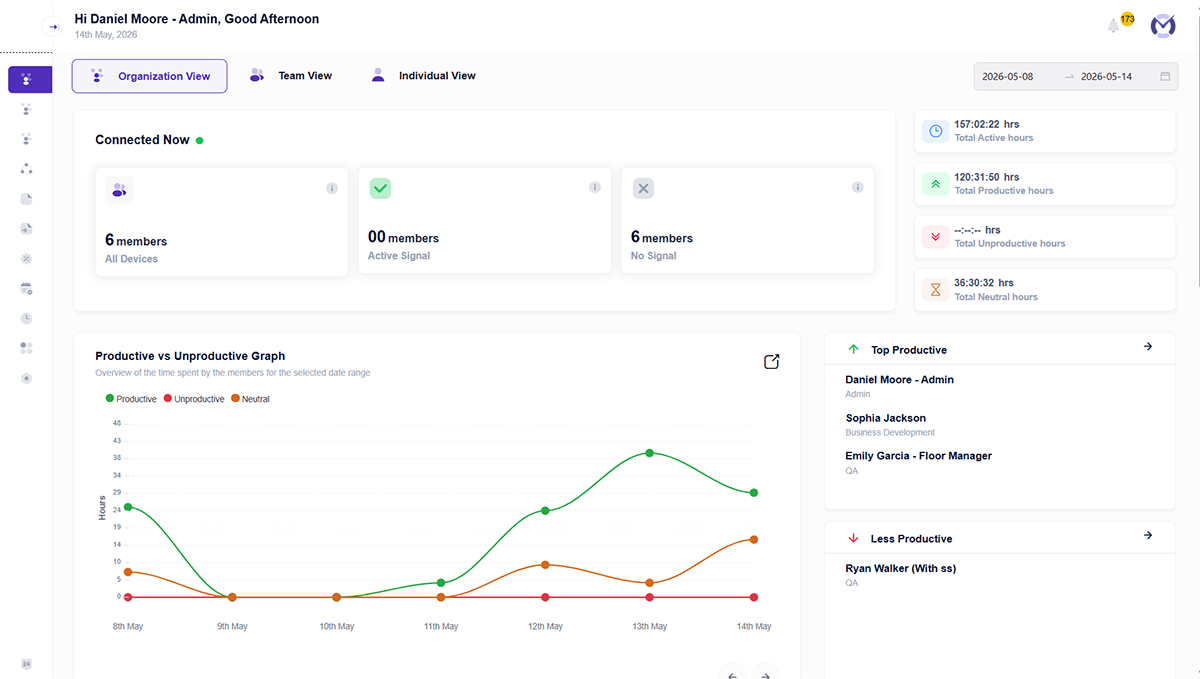
Once users install and activate the tracker, Mera Monitor starts capturing work activity seamlessly.
- Why Mera Monitor
Why Teams Choose Mera Monitor Over Hubstaff
All essential features in one place
No need to rely on multiple tools or upgrade for basic functionality.
Clear visibility into how work actually happens
Go beyond time tracking and understand real productivity patterns.
Built for simplicity and adoption
Teams can start quickly without complex setup or training.
Structured insights for better decisions
Not just data — insights that help managers act.
Flexible control with role-based access
Ensure the right visibility for the right people across teams.
- Feature Spotlight
What Mera Monitor Does That Hubstaff Doesn’t
Most tools—including Hubstaff—offer time tracking, activity monitoring, and reporting. The difference lies in how accessible, flexible, and unified these capabilities are without relying on multiple add-ons or higher-tier plans
Real-Time Work Visibility (Not Just Activity Data)
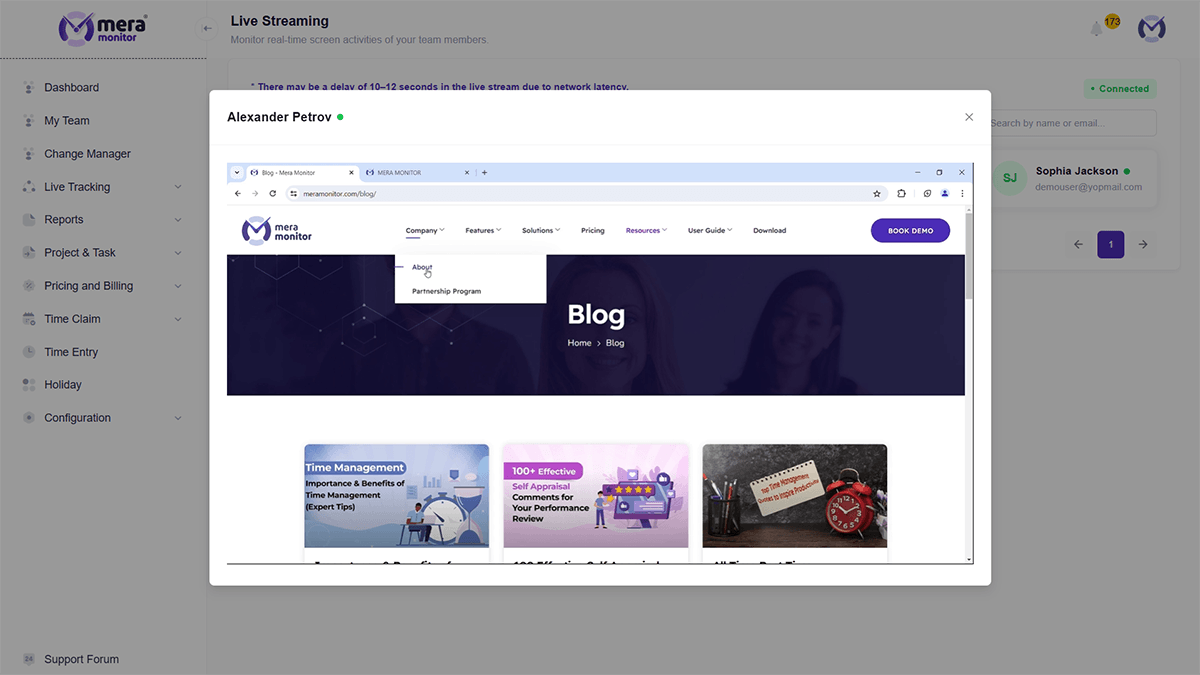
Hubstaff primarily tracks time, activity levels, and screenshots to show what happened. Mera Monitor goes a step further by enabling live visibility when needed.
- View work in real time — not just after it’s recorded
- Get immediate clarity without waiting for reports
- Reduce dependency on delayed insights
- Hubstaff: No live screen streaming (relies on activity data + screenshots)


Flexible Tracking That Fits Different Roles
Hubstaff works like a traditional timer-based system where users start/stop tracking. Mera Monitor is designed to adapt to different work styles and roles.
- Supports non-screen-based roles (sales, management, operations)
- Avoid rigid tracking dependencies
- Align tracking with outcomes, not just activity
- Hubstaff: Primarily structured around time + activity tracking workflows
Faster Access to Actionable Insights
Hubstaff provides reports, dashboards, and productivity metrics.
Mera Monitor focuses on making insights easier to access and act on quickly.
- Reduce time spent navigating reports
- Get clear, decision-ready insights
- Improve visibility across projects and teams
- Hubstaff: Reports available, but extracting insights may require multiple steps


Advanced Control Across Teams & Workflows
Hubstaff offers roles, permissions, and tracking configurations.
Mera Monitor provides more flexible control at scale.
- Bulk settings for teams
- Better visibility control with role-based access
- Easier management across different workflows
- Hubstaff: Configuration exists but is less flexible at scale
From Time Tracking → Productivity Understanding
Hubstaff combines time tracking, productivity monitoring, and payroll features.
Mera Monitor is built to connect tracking + insights + decision-making in one flow.
- Go beyond time logs to understand work patterns
- Reduce reliance on multiple tools
- Improve productivity visibility without added complexity
- Hubstaff: Strong in tracking, but less focused on unified productivity insights

- Testimonials
What Teams Say About Mera Monitor


- FAQs
Hubstaff Alternative FAQs
Most teams can switch without major disruption, especially when onboarding and setup are simple.


