Introduction
If you’re searching for the best user activity monitoring software , chances are you’re not just looking for another tool.
You’re trying to answer something more practical: “How do I actually understand what my team is working on — without creating chaos or mistrust?”
And that’s where most tools fall short.
Some track time.
Some capture activity.
Some go deep into monitoring.
But very few help you connect the dots between time, work, and productivity.
This guide is built to solve that.
- You’ll see the top tools compared clearly
- Understand where each one fits (and doesn’t)
- And most importantly, shortlist the right option faster
If you want a quick answer, start with the comparison table below.
Quick Comparison Table (Top Tools at a Glance)
| Tool Name | Best For | Free Trial | Starting Pricing | Key Strength |
|---|---|---|---|---|
| Mera Monitor | Remote, Hybrid & In-Office teams | Yes | Starts at $3/user/month | Real-time activity visibility with actionable insights, alerts, and productivity tracking |
| Time Doctor | Remote teams | Yes | ~$8/user/month | Strong time tracking & accountability |
| Teramind | Enterprises & compliance | Yes | ~$14.87/user/month (Approx) | Deep monitoring & security analytics |
| Hubstaff | Operations & payroll tracking | Yes | ~$7/user/month | Time tracking + team management |
| Insightful | Analytics-focused teams | Yes | ~$8/user/month | Clean productivity insights & reporting |
| Workstatus | Workforce tracking | Yes | ~$4.02/user/month (Approx) | All-in-one workforce management |
| Kickidler | Monitoring-heavy use cases | Yes | ~$5/user/month | Screen & activity tracking depth |
| ActivTrak | Productivity insights | Yes | ~$10/user/month (Billed annually) | User-friendly analytics dashboards |
| Controlio | Strict monitoring control | Yes | ~$7.99/user/month | Detailed user activity tracking |
| TimeCamp | SMBs | Yes | Starts from $3.49/user/month | Simple and affordable time tracking |
Top 10 Best User Activity Monitoring Software (Detailed Review)
1. Mera Monitor
Best for: Teams that want real-time visibility into work, productivity patterns, and attendance — without relying on guesswork or manual tracking.
Overview:
Most tools stop at tracking activity. Mera Monitor takes it one step further — it helps you understand what’s happening and act on it.
If you’re dealing with missed deadlines, unclear productivity, or lack of visibility across remote or hybrid teams, this is where structured monitoring becomes useful.
Instead of overwhelming you with data, it focuses on turning activity into actionable insights.
Key Features:
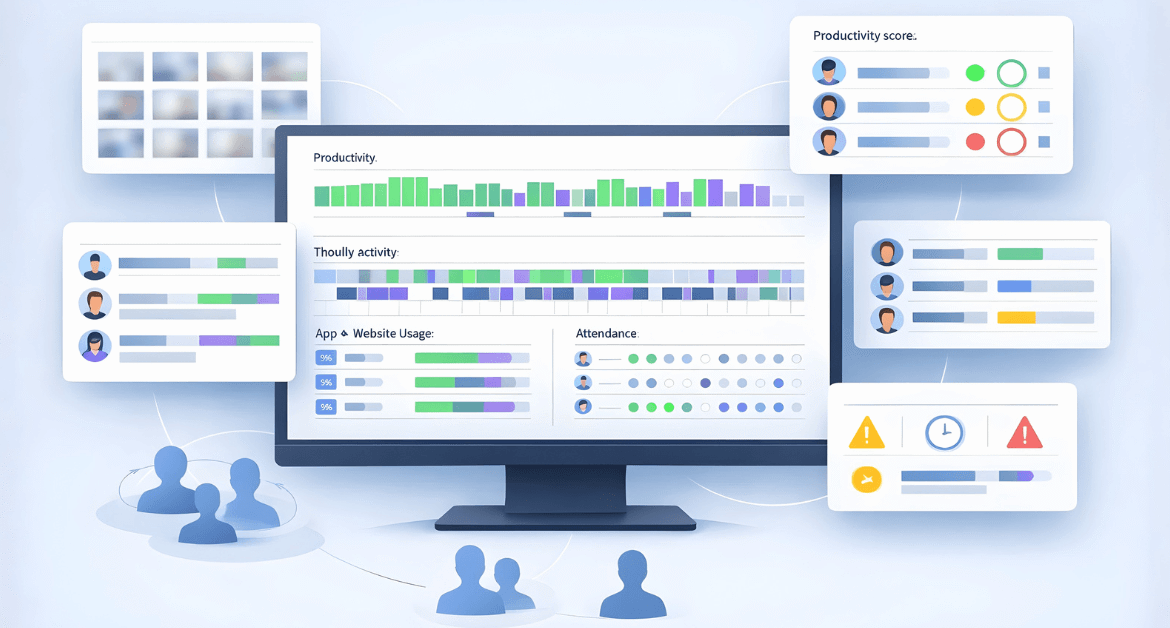
- Complete Activity Visibility: Track when employees are active, idle, or away, and understand real productivity patterns.
- Real-Time Alerts: Get notified instantly when productivity drops or unusual idle behavior is detected.
- Timeline & Screen Captures: Visual hourly breakdowns with screenshots help validate work progress without constant follow-ups.
- Application & URL Tracking: See exactly which tools and websites are being used — and how effectively.
- Livestream & Screenshot Monitoring: View live sessions or review captured screens when needed.
- Attendance Tracking: Automatically logs login/logout times, work hours, and attendance without manual effort.
- Productivity Reports: Compare productive vs unproductive time and identify patterns across teams.
- Dynamic Reporting: Generate custom reports (weekly, activity summary, system-level insights) for decision-making.
Pros:
- Combines activity, productivity, and attendance in one system
- Real-time alerts help teams respond quickly
- Easy to adopt across remote, hybrid, and in-office setups
- Helps improve accountability without constant supervision
Cons:
- Limited integrations compared to some larger platforms
- Some advanced features may vary by plan
Pricing:
- Monthly Plan – $4/user/month (billed monthly)
- Annual Plan (Most Popular) – $3/user/month (billed annually, save /user/year)
- Enterprise Plan – Custom pricing (for 1000+ users)
Free trial available (no credit card required) – Start Free Trial
Why Teams Choose Mera Monitor
For most teams, the real question is not whether people are working. It’s where time is going, what is slowing work down, and what needs to change.
Mera Monitor helps answer that clearly.
Expert insight: Teams don’t improve because they track more — they improve when they finally see patterns they were missing.
When Mera Monitor Works Best
Mera Monitor works best when your goal is to:
- Understand how time is spent across teams
- Improve productivity without micromanaging
- Get structured visibility into work patterns
- Combine activity, attendance, and performance insights in one place
Expert insight: Most teams don’t fail because they lack monitoring — they fail because they lack clarity. Tools that simplify visibility tend to get adopted faster and actually drive improvement.
Practical Use Case
Let’s say:
- A team is working full hours
- But deadlines are still slipping
Without visibility → you assume performance issue
With structured activity insights → you may discover:
- Time lost across too many tools
- Frequent idle gaps between tasks
- Work happening outside priority apps
That’s the difference between guessing vs improving
2. Time Doctor
Best for: Remote teams that need strong accountability and time tracking visibility
Overview:
Time Doctor is one of the most widely used tools when the goal is simple: “Are people actually working, and how much time are they spending?”
It focuses on time tracking, activity monitoring, and productivity measurement, which makes it a strong fit for distributed teams.
Key Features:
- Time tracking (desktop, mobile, Chrome extension)
- App and website monitoring
- Screenshots and distraction alerts
- Productivity analytics and reports
- Offline tracking with auto-sync
- Payroll and integrations
Pros:
- Strong accountability for remote teams
- Detailed breakdown of time usage
- Reliable reporting for payroll and billing
Cons:
- Can feel intrusive if not implemented thoughtfully
- Limited context around actual work output
Pricing:
- Starts at ~$7/user/month (basic)
- Higher plans for advanced features and integrations
Why Teams Choose Time Doctor
When the priority is: Tracking hours, reducing distractions, and improving accountability
3. Teramind
Best for: Enterprises focused on security, compliance, and insider risk detection
Overview:
Teramind is not just a productivity tool — it’s built for deep monitoring and risk visibility .
If your concern is: data leaks, insider threats, or compliance – this is where Teramind stands out.
Key Features:
- User behavior analytics
- Insider threat detection
- Screen recording and monitoring
- Data loss prevention (DLP)
- Keystroke logging
- Real-time alerts
Pros:
- Extremely powerful monitoring capabilities
- Strong compliance and security features
Cons:
- Complex setup and configuration
- Overkill for small or growing teams
Pricing: Paid plans start at around $15/user/month.
Why Teams Choose Teramind
When monitoring is tied to security, compliance, and risk prevention.
4. Hubstaff
Best for: Teams that want time tracking with operations and workforce management
Overview:
Hubstaff goes beyond basic monitoring by combining time tracking, payroll, and team management.
It’s especially useful for teams managing multiple workflows and distributed operations .
Key Features:
- Time tracking and timesheets
- GPS and location tracking
- Payroll and invoicing
- Productivity monitoring
- Project tracking
Pros:
- Easy to use and scale
- Strong integrations and automation
- Good for operational workflows
Cons:
- Limited deep productivity insights
- Monitoring features are relatively basic
Pricing: Starts around $7–$7.50/user/month
Why Teams Choose Hubstaff
When they want: Time tracking + team operations in one platform
5. Insightful
Best for: Organizations focused on productivity analytics and workforce insights
Overview:
Insightful is designed for teams that want to go beyond tracking and understand productivity trends and work behavior.
It’s more analytics-driven than monitoring-heavy.
Key Features:
- App and website tracking
- Productivity classification
- Real-time alerts
- Workforce analytics dashboards
- Role-based reporting
Pros:
- Strong analytics and insights
- Clean dashboards and reporting
- Scales well for growing teams
Cons:
- Limited control-heavy monitoring
- Can be pricing-heavy for smaller teams
Pricing
- Starts at ~$6.40–$8.40–/user/month
- Free trial available
Why Teams Choose Insightful
When they want: insights into work patterns, not just tracking
6. Workstatus
Best for: Teams looking for an all-in-one workforce management and tracking solution
Overview:
Workstatus combines monitoring, time tracking, and workforce management.
It’s built for teams that want everything in one system.
Key Features:
- Time tracking and attendance
- Task and shift management
- GPS tracking
- Productivity insights
- Payroll integrations
Pros:
- Feature-rich platform
- Strong for operational teams
Cons:
- Interface can feel complex
- Learning curve for new users
Pricing
- Starts around $3/user/month
- 7-day free trial available
Why Teams Choose Workstatus
When they want a single system for workforce management + tracking
7. KickIdler
Best for: Organizations that need deep monitoring and visual tracking
Overview:
Kickidler focuses heavily on real-time screen monitoring and activity tracking.
It’s more aligned with control and oversight use cases .
Key Features:
- Screen recording and live monitoring
- Keystroke tracking
- Activity tracking
- Alerts and reports
Pros:
- Deep monitoring capabilities
- Strong visibility into user behavior
Cons:
- Can feel intrusive if misused
- Limited focus on productivity insights
Pricing: Starts from $5/user/month
Why Teams Choose Kickidler
When they need: detailed monitoring and control
8. ActivTrak
Best for: Teams that want productivity insights without heavy monitoring
Overview:
ActivTrak focuses on analytics, workforce insights, and performance optimization
It’s one of the more balanced and privacy-conscious tools .
Key Features:
- Productivity tracking
- App usage analytics
- AI-driven insights
- Workforce planning tools
- Reporting dashboards
Pros:
- Clean, easy-to-understand insights
- Strong analytics capabilities
- Privacy-friendly approach
Cons:
- Limited control-level monitoring
- Advanced features require higher plans
Pricing:
- Free plan available for max 3 users but with basic time tracking features only.
- Paid plans start from $10/user/month – billed annually.
Why Teams Choose ActivTrak
When they want insights to improve performance, not just monitor activity
9. Controlio
Best for: Companies needing strict monitoring and activity control
Overview:
Controlio is built for detailed employee monitoring and oversight
It focuses more on tracking behavior than analyzing productivity.
Key Features:
- Activity tracking
- Screen monitoring
- Alerts and logs
- Usage tracking
Pros:
- Strong monitoring capabilities
- Detailed tracking
Cons:
- Less intuitive UI
- Limited analytics compared to modern tools
Pricing:
- Free 14-days trial available.
- Paid plans starts from $7.99/user/month.
Why Teams Choose Controlio
When they need strict control over user activity
10. TimeCamp
Best for: SMBs looking for simple and affordable time tracking with activity insights
Overview:
TimeCamp is a lightweight tool that combines time tracking with basic activity monitoring.
Key Features:
- Time tracking
- App and website usage
- Reporting and billing
- Project tracking
Pros:
- Easy to use
- Affordable pricing
- Good for small teams
Cons:
- Limited monitoring depth
- Fewer advanced analytics features
Pricing:
- Free-forever plan available but limited to 8 features only.
- Paid plan starts from $3.49/user/month.
Why Teams Choose TimeCamp
When they want simple, affordable tracking without complexity
How to Choose the Best User Activity Monitoring Software
Most teams don’t struggle because of a lack of tools.
They struggle because they pick a tool before clearly defining what they need it for.
If you get this part right, choosing the software becomes much easier.
Let’s break it down.
1. Start With the Real Problem You’re Trying to Solve
Before comparing tools, ask yourself: Why do we need user activity monitoring in the first place?
Because different tools solve very different problems:
- Lack of visibility? → You need productivity insights and activity tracking
- Missed deadlines or delays? → You need visibility into workflows and time usage
- Low accountability in remote teams? → You need time tracking and activity validation
- Security or compliance concerns? → You need deep monitoring and behavior tracking
Expert insight: The biggest mistake teams make is choosing a “popular tool” instead of a “fit-for-purpose tool.”
2. Decide the Level of Visibility You Actually Need
Not every team needs the same level of monitoring.
There’s a spectrum:
- Basic: Time tracking and attendance
- Moderate: App usage, productivity insights
- Advanced: Screenshots, alerts, real-time monitoring
- Deep: Behavior tracking, compliance, risk detection
The mistake? Going too heavy too early.
Expert insight: Tools that feel intrusive in the first 30 days usually fail adoption — no matter how powerful they are.
3. Look for Insights, Not Just Data
Most tools will show you:
- hours worked
- apps used
- activity levels
But that’s not enough.
What you really need is:
- Where time is being wasted
- Which tools are slowing work down
- Which teams are overloaded
- Where bottlenecks exist
That’s the difference between:
- Tracking activity
- Improving productivity
4. Check How Easy It Is to Use (For Both Managers and Teams)
This is underrated — and critical.
Ask:
- Can managers understand reports without training?
- Will employees accept and use it comfortably?
- Is the dashboard simple or overwhelming?
Expert insight: If a tool needs constant explanation, it won’t scale across teams.
Simple tools get adopted. Complex tools get ignored.
5. Evaluate Privacy and Transparency Features
This is not just a compliance issue — it’s a trust issue.
Look for:
- Role-based access
- Configurable visibility
- Clear data policies
- Ability to control what is tracked
Expert insight: Monitoring works best when it’s transparent, not hidden.
Teams perform better when they understand why visibility exists.
This matters more than many leaders realize. Gallup found that only 54% of managers strongly agree they trust remote employees to be productive, while only 57% of employees strongly agree they feel trusted when working remotely. That gap is exactly why transparency, clear expectations, and fair monitoring policies matter so much when choosing a tool.
6. Make Sure It Fits Your Work Environment
Different environments need different capabilities:
Remote Teams
- Time tracking
- Activity monitoring
- Screenshots (optional)
Hybrid Teams
- Attendance + productivity insights
- Flexible tracking
In-Office Teams
- Workflow visibility
- Application usage insights
Choose a tool that adapts — not one that forces behavior.
7. Look at Integration and Scalability
Even if you don’t need it today, think ahead:
- Does it integrate with your tools (project management, payroll, etc.)?
- Will it scale as your team grows?
- Can it handle multiple teams, roles, and departments?
This avoids switching tools later.
8. Understand Pricing Beyond the Base Plan
Don’t just look at the starting price.
Check:
- What’s included in each plan?
- Are key features locked behind higher tiers?
- Does pricing scale reasonably with team size?
Expert insight: A “cheap” tool that lacks key features often becomes expensive in the long run.
9. Prioritize Actionability Over Features
This is the most important filter.
Ask: “Will this tool help me take action, or just give me data?”
Because:
- Data tells you what happened
- Insights tell you why
- Actionability helps you improve
The best tools don’t just show problems — they help you fix them faster
10. Don’t Ignore Adoption (This Decides Success)
Even the best tool fails if your team doesn’t use it.
Before finalizing:
- Consider how you’ll introduce it
- Explain the purpose clearly
- Focus on improvement, not control
Expert insight: Adoption is not a product problem — it’s a communication problem.
Why Most Monitoring Tools Fail to Improve Productivity
On paper, user activity monitoring sounds like a simple fix: “If we can see what people are doing, productivity should improve.”
But in reality, many teams install a tool… and see little to no real improvement .
Not because the tool is bad — but because the approach is incomplete.
Let’s break down where things usually go wrong.
1. They Generate Data — But Not Clarity
Most tools are great at collecting data:
- hours worked
- apps used
- idle vs active time
But here’s the problem: Data alone doesn’t tell you what to fix
For example:
- Someone worked 8 hours
- Used 10 different apps
- Had 2 hours of idle time
Now what?
Without context, this doesn’t answer:
- Was the work productive?
- Was the workload realistic?
- Were they blocked or distracted?
Expert insight: Teams don’t struggle because they lack data — they struggle because they can’t interpret it.
2. They Focus on Activity Instead of Outcomes
This is one of the biggest disconnects.
Many tools measure:
- clicks
- keystrokes
- active time
But productivity is about:
- output
- quality
- completion
You can be “active” all day and still not move work forward.
Expert insight: Activity is easy to measure. Meaningful progress is harder — but far more valuable.
3. No Connection to Actual Work
Monitoring tools often operate in isolation.
They show:
- what apps were used
- how much time was spent
But they don’t connect that to:
- tasks
- projects
- deliverables
So, managers are left guessing: “Is this time well spent or not?”
That gap leads to:
- wrong assumptions
- unnecessary follow-ups
- poor decisions
4. Too Much Monitoring, Too Little Trust
This is where things can backfire.
If monitoring feels like:
- constant surveillance
- lack of trust
- micromanagement
Teams react in predictable ways:
- resistance
- stress
- “looking busy” instead of doing meaningful work
Expert insight: The moment monitoring feels like control, people optimize for appearance — not performance.
That distinction matters because remote work is not inherently less effective. According to Gallup’s 2025 research , fully remote workers are the most likely to be engaged globally (31% ), compared with hybrid workers (23% ) and on-site non-remote-capable workers (19%) , with on-site remote-capable workers also at 23% . These findings suggest that higher engagement in remote settings is linked to factors such as autonomy and work design, rather than location alone.
5. Lack of Real-Time Actionability
Many tools show reports like:
- daily summaries
- weekly dashboards
But by the time you see the issue: the damage is already done
What’s missing:
- real-time alerts
- early signals
- proactive insights
Without that, monitoring becomes reactive instead of preventive
6. Overcomplicated Dashboards
Some tools try to do everything.
Result:
- too many reports
- too many metrics
- too much complexity
Managers end up:
- ignoring dashboards
- relying on gut feeling again
Which defeats the purpose of the tool.
Expert insight: If a tool needs training just to read reports, it won’t be used consistently.
7. Poor Implementation (This Is the Biggest Reason)
Even a good tool fails with poor rollout.
Common mistakes:
- No clear purpose communicated
- Employees not informed properly
- No defined usage guidelines
- No action plan based on insights
So what happens? The tool runs in the background… but nothing actually changes.
8. Measuring Everything Instead of What Matters
Some teams try to track:
- every click
- every minute
- every action
But more tracking ≠ better outcomes. It creates noise.
What works better:
- focusing on key signals
- identifying patterns
- acting on meaningful insights
What Actually Works Instead
High-performing teams use monitoring differently.
They focus on:
- Visibility with context
- Insights, not raw data
- Actionable signals
- Transparency with teams
The goal is not to watch more. The goal is to understand better.
What High-Performing Teams Do Differently
They use tools to:
- Identify bottlenecks
- Improve workflows
- Support better planning
Not to micromanage.
Expert insight: The moment monitoring becomes a control mechanism, it stops working.
Pros and Cons of User Activity Monitoring Software
User activity monitoring software can be powerful — but only when used correctly.
It can bring clarity, improve productivity, and support better decisions. At the same time, if implemented poorly, it can create friction and resistance.
Let’s look at both sides in a practical way.
Pros of User Activity Monitoring Software
1. Clear visibility into how work actually happens
One of the biggest challenges for teams today is not effort — it’s lack of visibility .
You don’t always know:
- where time is going
- which tools are being used
- where work is slowing down
Monitoring tools solve this by giving you a clear picture of daily activity and work patterns . Instead of guessing, you start seeing patterns.
2. Helps identify time wasters and distractions
It’s easy for time to slip away in small gaps:
- switching between tools
- unnecessary browsing
- long idle periods
These patterns are hard to notice without data.
With activity monitoring:
- you can spot these early
- and fix them before they become habits
The goal is not to control — but to improve focus where it matters
3. Improves accountability (without constant follow-ups)
Managers often spend time:
- asking for updates
- checking progress
- following up repeatedly
With structured visibility:
- work becomes more transparent
- fewer check-ins are needed
Teams become more self-managed.
4. Enables data-driven decisions
Instead of relying on assumptions, you can:
- allocate work based on actual capacity
- identify overloaded team members
- adjust timelines realistically
5. Supports better remote and hybrid work management
In remote setups, visibility naturally drops.
Monitoring tools help:
- track activity across distributed teams
- ensure work continuity
- maintain alignment
This is especially useful when teams are working across locations and time zones.
This has become even more important as work models keep shifting. Gallup reports that about 40% of remote-capable employees have moved from working fully on-site to either hybrid or fully remote arrangements, with hybrid now the dominant model for remote-capable employees. That makes consistent visibility across locations much more important than it was a few years ago.
6. Combines productivity with attendance insights
Many tools bring together:
- attendance
- active hours
- productivity data
This gives a complete picture of work , instead of managing these separately.
7. Helps recognize and reward top performers
One overlooked benefit:
You can clearly identify:
- consistent performers
- high-efficiency team members
- improvement trends
This makes recognition:
- more objective
- more meaningful
Cons of User Activity Monitoring Software
1. Can Create Trust Issues If Not Introduced Properly
This is the most common risk.
If monitoring is:
- introduced suddenly
- not explained clearly
- positioned as “tracking people”
It can lead to:
- resistance
- discomfort
- reduced morale
The issue is not the tool — it’s the communication.
2. Risk of Focusing on Activity Instead of Outcomes
Some teams start measuring:
- active hours
- clicks
- time spent
But ignore:
- actual output
- quality of work
This can lead to:
- “looking busy” instead of being productive
Expert insight: What gets measured gets optimized — so measure wisely.
3. Data Overload Without Clear Action
Many tools generate:
- reports
- dashboards
- metrics
But without a clear plan: this data goes unused
Managers may:
- feel overwhelmed
- go back to manual tracking
4. Over-Monitoring Can Reduce Autonomy
Too much monitoring can make teams feel:
- constantly observed
- restricted
Which can lead to:
- reduced ownership
- less initiative
Balance is critical.
5. Requires Thoughtful Setup to Deliver Value
Monitoring tools are not “plug and play” if you want real value.
They require:
- defining productivity rules
- aligning with workflows
- setting expectations
Without this, insights can be misleading.
6. Not All Roles Can Be Measured the Same Way
For example:
- Developers
- Designers
- Strategy roles
Their work may not always reflect clearly in:
- activity levels
- app usage
So, interpretation needs context.
7. Integration Limitations (in Some Tools)
Some tools may not integrate deeply with:
- project management systems
- internal workflows
This can limit how well activity connects to actual work.
Which Tool Should You Choose?
Here’s a simple way to decide:
- Want balanced visibility across productivity, time, and activity → Mera Monitor
- Want time tracking + accountability → Time Doctor
- Want security and compliance → Teramind
- Want simple tracking → TimeCamp
- Want analytics and reporting → ActivTrak or Insightful
Final Thought
The goal isn’t to monitor more.
It’s to understand how work really happens — so you can improve it without creating friction or losing trust.
The right tool won’t just show you activity. It will help you see patterns, make better decisions, and support your team more effectively.
If this guide helped you get closer to that clarity, you’re already moving in the right direction.
FAQs
The best user activity monitoring software depends on your specific needs.
For productivity visibility and team insights → tools like Mera Monitor or ActivTrak
For time tracking and accountability → Time Doctor or Hubstaff
For security and compliance monitoring → Teramind
Instead of choosing a popular tool, focus on the one that aligns with how your team works and what you want to improve.
Yes, user activity monitoring software is legal in most countries, including India, the US, and the UK — as long as it is implemented transparently and with proper policies .
Best practices include:
Informing employees clearly
Defining what is being tracked
Using data only for productivity and business purposes
Transparency is key to staying compliant and maintaining trust.
Look for features that help you understand work, not just track it :
Application and website usage tracking
Productivity insights (productive vs unproductive time)
Real-time alerts for unusual activity
Screenshots or activity timelines (if required)
Role-based access and privacy controls
Reporting and analytics
The best tools combine visibility + insights + actionability .
For remote teams, the best tools are those that balance visibility and flexibility :
Mera Monitor → ideal for combining productivity, activity, and attendance insights
Time Doctor → strong for time tracking and accountability
Hubstaff → useful for time tracking with operations
The right choice depends on whether you need tracking, insights, or both .
They can feel intrusive if used incorrectly , but not when implemented properly.
To avoid this:
Be transparent about what is being tracked
Avoid excessive monitoring
Focus on improving workflows, not controlling employees
When used correctly, these tools actually reduce micromanagement , not increase it.
User activity monitoring improves productivity by helping teams:
Identify time wastage and distractions
Understand work patterns
Detect bottlenecks early
Make better workload and planning decisions
The key is using insights to improve processes , not just measure activity.
User activity monitoring focuses on:
apps used
websites visited
time spent on tasks
Employee monitoring can go deeper into:
screen recording
keystrokes
behavior tracking
In simple terms:
User activity monitoring = visibility into work patterns
Employee monitoring = broader control and oversight
Yes, these tools are not limited to remote teams — they work just as effectively in hybrid and in-office environments.
They help teams:
Track productivity across different locations
Maintain consistent visibility into how work is happening
Combine attendance data with activity insights for a complete view
Most modern tools are designed to support remote, hybrid, and in-office teams seamlessly .