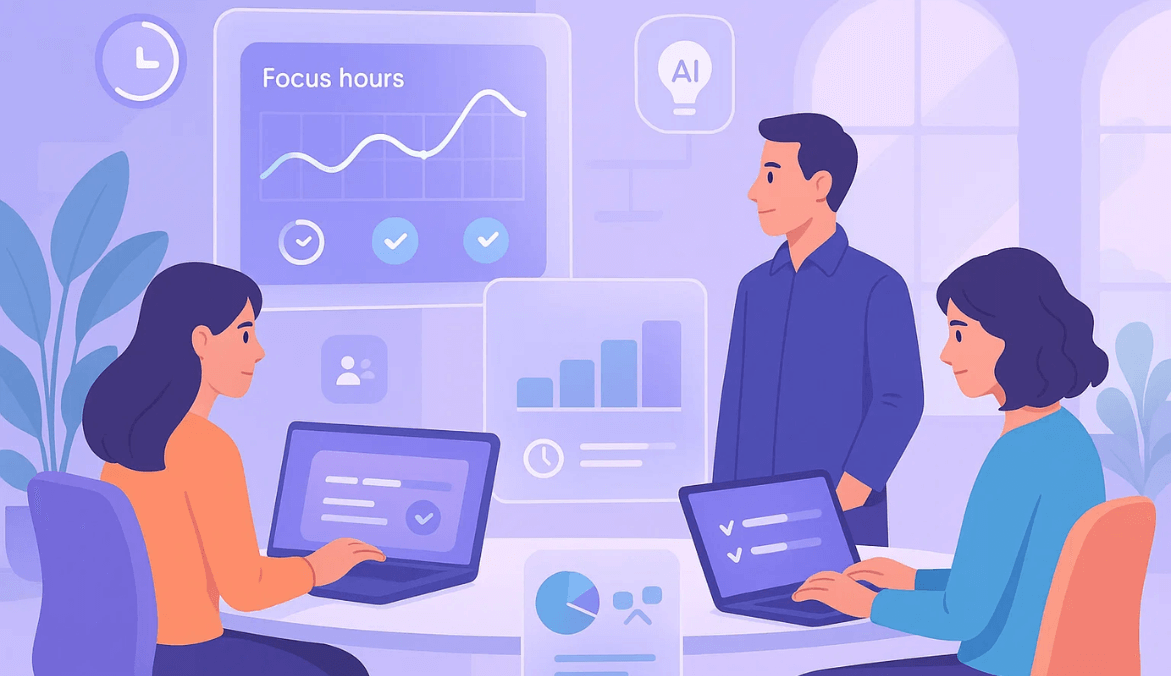
Productivity Tracking Software: What, Why & How

    Productivity Tracking Software: What It Is, Why It Matters, and How to Use It Right

Introduction

Let’s start with a simple truth.

Teams today are not short of effort. People are working, staying busy, attending meetings, switching between tools…

But when you ask: “Where is the time actually going?” or “What’s slowing us down?”

The answers are often unclear.

After working with growing teams for over 10+ years, I’ve seen one pattern repeatedly — productivity issues are rarely about lack of effort, but lack of clarity into how work happens.

Microsoft’s Work Trend Index highlights a clear disconnect — 87% of employees report being productive, while 85% of leaders say they struggle to have confidence in that productivity, largely due to reduced visibility into how work happens.

That’s exactly where productivity tracking software comes in — not to monitor people, but to bring clarity into how work happens.

What Is Productivity Tracking Software?

At its core, productivity tracking software helps you understand how work hours are spent.

It captures:

  • Work hours and activity
  • Time spent on apps and websites
  • Task and project effort
  • Patterns in productivity, focus, and idle time

But here’s the key difference:

It’s not just about tracking time. It’s about understanding what happens during that time.

That’s what separates productivity tracking software from basic time tracking tools.

Why Do Businesses Use Productivity Tracking Software?

Let’s look at this practically.

Most organizations don’t adopt productivity tracking software because they want more data. They adopt it because they don’t have enough clarity.

Work is happening. Teams are busy. Projects are moving.

But questions like these remain unanswered:

  • Where is the time actually going?
  • Why are some tasks taking longer than expected?
  • Are workloads balanced across the team?
  • Where do teams need support?

After working with growing teams for over 10 years, I’ve seen this pattern repeatedly — the issue is rarely effort. It’s lack of visibility into how that effort translates into outcomes.

Here’s why businesses start using productivity tracking software.

To Understand Where Work Time Actually Goes

On the surface, everything looks fine. People are active, meetings are happening, and tasks are being updated.

But underneath that, time can be:

  • Fragmented across too many tools
  • Lost in constant switching
  • Spent on low-impact work

Without visibility, this goes unnoticed.

In many teams, the biggest realization isn’t that people aren’t working — it’s that work is spread thin across too many small interruptions.

Productivity tracking brings clarity to:

  • How time is distributed
  • What’s contributing to real progress
  • Where time is being lost

To Improve Productivity Without Constant Follow-Ups

Without a system in place, managers rely on:

  • Status updates
  • Check-ins
  • Follow-up messages

This creates friction for everyone.

With productivity tracking, you don’t need to ask: “What are you working on?”

You can instead understand:

  • How work is progressing
  • Where delays are happening
  • What needs attention

And that reduces unnecessary communication while improving clarity.

To Support Remote and Hybrid Teams

When teams are not working from the same location, visibility naturally drops.

You can’t rely on:

  • Physical presence
  • Informal check-ins
  • Quick desk conversations

This creates a gap.

Remote work studies consistently highlight that lack of visibility — not lack of effort — is one of the biggest challenges for distributed teams.

Productivity tracking helps bridge that gap by providing:

  • Clear work visibility
  • Time and activity patterns
  • Insight into team workload

Without making the process intrusive.

Gallup research shows a clear trust gap in remote work — only 54% of managers strongly trust their employees to be productive, while just 57% of employees feel trusted, highlighting the need for better visibility and alignment.

To Improve Planning and Workload Balance

Planning is often based on assumptions:

  • “This should take 3 days”
  • “This looks manageable”

But without actual data, planning becomes guesswork.

With productivity tracking, you can:

  • See how long tasks take
  • Identify overloaded team members
  • Balance workloads more effectively

Over time, planning becomes:

  • More realistic
  • More predictable
  • More aligned with actual work capacity

To Identify What’s Slowing Work Down

Delays don’t always come from lack of effort.

Microsoft research also shows that employees are interrupted every 2 minutes on average during the workday, making it difficult to maintain focus and clearly understand how time is actually spent.

They often come from:

These are difficult to identify without visibility.

Productivity tracking helps surface:

  • where time is being lost
  • where work is getting stuck
  • what needs to be improved

And once you see the problem clearly, fixing it becomes easier.

To Build Accountability with Transparency

This is where mindset matters.

If productivity tracking is introduced as a control mechanism, it creates resistance.

If it is introduced as a clarity tool, it creates alignment.

Practical observation: Teams respond very differently depending on how the tool is positioned. When it’s used to support better work — not to monitor individuals — adoption becomes much smoother.

The goal is not to watch people. The goal is to make work visible and measurable in a fair way.

To Reduce Manual Reporting and Admin Work

Many teams still rely on:

  • Manual timesheets
  • End-of-day summaries
  • Weekly reporting

This adds extra effort without always improving accuracy.

Productivity tracking automates this by:

  • Capturing work data in real time
  • Generating reports automatically
  • Reducing dependency on manual inputs

Which frees up time for actual work.
How Does Productivity Tracking Software Work?

Let’s simplify this.

Productivity tracking software doesn’t work by “watching people.” It works by connecting small pieces of work data into a clear picture of how time turns into output.

Think of it as moving from: scattered activity → to structured insights

Here’s how that actually happens in practice.

It Captures Work Time Automatically

Instead of asking employees to manually fill out timesheets, the system captures work time in the background.

This includes:

  • When work starts and ends
  • Active work time vs idle gaps
  • Total work hours across the day

The goal here is simple: Remove guesswork and create reliable work records

From what I’ve seen across teams, manual time entries are rarely accurate. People either forget, estimate, or fill everything at the end of the day.

Automatic tracking solves that quietly — without adding extra work for the team.

It Understands How Time Is Spent Across Tools

Work today happens across multiple tools — email, browsers, project platforms, and communication apps.

Productivity tracking software maps time across these tools to show:

  • Where most of the work happens
  • Which tools support productivity
  • Where time may be getting fragmented

This is where things start getting interesting.

Instead of asking: “Are people working?”

You start asking: “Where is their time actually going?”

And that shift leads to better decisions.

It Builds a Clear View of Work Patterns

Once time and activity are captured, the system organizes it into meaningful patterns.

For example:

  • Focused work vs fragmented work
  • Consistent work hours vs irregular patterns
  • High productivity periods vs low productivity periods

This is where raw data becomes useful.

When teams first see their actual work patterns, the insights are often unexpected. It’s not about people working less — it’s about work being interrupted, scattered, or misaligned.

It Connects Time to Actual Work (Projects & Tasks)

Tracking time alone is not enough.

What matters is: What that time is contributing to

That’s why productivity tracking software links time with:

  • Projects
  • Tasks
  • Deliverables

This helps answer:

  • Which work is taking longer than expected
  • Whether effort is aligned with priorities
  • Where delays are happening

And over time, this becomes extremely valuable for planning.

It Turns Daily Activity into Clear Insights

Instead of showing raw logs, the system summarizes work into:

  • Daily and weekly work summaries
  • Productivity trends over time
  • Time distribution across tasks and tools

This is where decision-making is easier.

You’re no longer looking at scattered data. You’re looking at patterns you can act on.

It Highlights Gaps and Opportunities

Once you have visibility, patterns start to emerge:

  • Time lost in frequent context switching
  • Tasks that consistently take longer
  • Work that doesn’t contribute to outcomes
  • Imbalance in team workloads

These are not problems you can fix with guesswork.

They require clarity — and that’s exactly what this layer provides.

It Supports Decisions Without Micromanagement

This is the most important part.

Productivity tracking software is not meant to:

  • ❌ control people
  • ❌ track every movement
  • ❌ create pressure

It is meant to:

  • ✔ bring clarity into work
  • ✔ support better planning
  • ✔ help teams focus on meaningful output

What works in practice: Teams that use productivity data to improve workflows — not to question individuals — see far better adoption and long-term value.

Key Features to Look for in Productivity Tracking Software

Instead of focusing only on features, look at what they help you understand.

  • Automatic time tracking
  • Productivity reports
  • App and website insights
  • Project and task based tracking
  • Role-based access
  • Privacy and transparency controls
  • Integrations with your existing tools

Benefits of Productivity Tracking Software

Better Visibility into Daily Work

You no longer rely on updates or assumptions.

You can clearly see:

  • What’s happening
  • Where time is going
  • Where support is needed

Improved Productivity and Focus

When teams understand how time is spent, behavior naturally improves.

I’ve seen teams improve productivity not because they were pushed to work harder, but because they became aware of where their time was slipping away.

More Accurate Performance Reviews

Conversations shift from opinions to data-backed discussions.

Better Project Planning

Instead of guessing timelines, you rely on historical work data.

Stronger Accountability Without Micromanagement

The goal is clarity — not control.

Reduced Manual Reporting

No more:

  • Manual timesheets
  • End-of-day summaries
  • Constant follow-ups

Productivity Tracking Software vs Time Tracking Software

Time TrackingProductivity Tracking
Tracks hoursExplains how hours are used
Helps with billingHelps with productivity improvement
“How much time”“What happened during that time”

Common Challenges (And How to Handle Them)

Employees May Feel Monitored

This is the most common concern.

Practical observation: Resistance usually doesn’t come from the tool itself, but from lack of clarity. When people don’t understand what is tracked and why, they assume the worst.

Data Can Be Misinterpreted

Idle time doesn’t always mean lack of work. Context matters.

Over tracking Can Hurt Culture

Too much focus on tracking can reduce trust.

Poor Setup Creates Noise

Without proper setup, data becomes confusing instead of useful.

How to Implement Productivity Tracking Software the Right Way

Define the Goal First

Be clear on why you’re implementing it:

  • Productivity improvement
  • Workload balancing
  • Better planning

Be Transparent with Your Team

Explain:

  • What is tracked
  • Why it is tracked
  • How it will be used

What works in practice: Teams that position this as a tool to improve workflows — not to monitor individuals — see much higher adoption.

Set Role-Based Access

Not everyone needs full visibility.

Customize Productivity Rules

Define what “productive work” means for your team.

Focus on Trends, Not Daily Data

Look at patterns over time, not one-off days.

Use Insights to Support, Not Control

This is what makes the system work long-term.

Who Needs Productivity Tracking Software?

This is especially useful for:

  • Remote and hybrid teams
  • IT and development teams
  • BPO and support teams
  • Agencies and service businesses
  • Growing organizations needing clarity

How to Choose the Right Productivity Tracking Software

Keep It Simple

If it’s hard to use, it won’t be used.

Look for Actionable Insights

Not just dashboards — real clarity.

Prioritize Privacy

This builds trust and adoption.

Check Integrations

It should fit into your workflow.

Think Long-Term

Choose something that scales with your team.

Why Mera Monitor Works Well for Productivity Tracking

Mera Monitor helps teams understand how work happens by combining:

  • Automatic time tracking
  • Productivity insights
  • App and website visibility
  • Project and task mapping
  • Clear reports for planning and reviews
  • Role-based access and control

So you don’t just track work — you understand it.

Start Understanding How Work Really Happens

Productivity tracking software is not about control — it’s about clarity.

When you understand:

  • Where time goes
  • What slows work down
  • How teams operate

You make better decisions. Start your free trial of Mera Monitor or Book Demo to see it in action.

FAQs

Productivity tracking software helps organizations understand how work happens by tracking time, activity, app usage, and task-level effort.

It goes beyond simple time tracking by showing how work hours are actually spent and what impacts productivity.

Time tracking software focuses on how many hours are worked, while productivity tracking software explains how those hours are used.

It helps answer:

  • What work was done during that time
  • Which activities were productive
  • Where time was lost or fragmented

Not necessarily.

When implemented correctly, productivity tracking software is used to:

  • Understand workflows
  • Improve productivity
  • Support better planning

It should be positioned as a clarity tool, not a surveillance system.

Yes — but not by forcing people to work more.

It improves performance by:

  • Identifying inefficiencies
  • Reducing distractions
  • Improving focus
  • Helping teams prioritize meaningful work

In most cases, awareness alone leads to better productivity decisions.

Yes — it’s especially useful for remote and hybrid teams.

It helps:

  • Maintain visibility into work
  • Understand workload distribution
  • Reduce dependency on constant check-ins

Without making the process intrusive.

The most common challenges include:

  • Employees feeling monitored
  • Misinterpreting data without context
  • Over tracking that affects trust
  • Poor setup leading to confusing insights

These can be avoided with clear communication and proper implementation.

Look for features that provide clarity, not just data, such as:

  • Automatic time tracking
  • Productivity insights and reports
  • App and website usage tracking
  • Project and task mapping
  • Role-based access and privacy controls

The key is transparency.

  • Clearly explain what is tracked and why
  • Focus on improving workflows, not monitoring individuals
  • Share insights with the team
  • Use data to support, not control

When positioned correctly, it actually builds trust instead of reducing it.

It is most useful for:

  • Remote and hybrid teams
  • IT and development teams
  • BPO and support teams
  • Agencies and service-based businesses
  • Growing organizations that need better work visibility

The best productivity tracking software depends on your needs.

Look for a solution that:

  • Is easy to use
  • Provides actionable insights
  • Balances visibility with privacy
  • Fits your workflow

Tools like Mera Monitor are designed to combine time tracking, productivity insights, and work visibility in one platform.

Author

  • Shashikant Tiwari is a digital marketing strategist with extensive experience in SEO, content strategy, and B2B SaaS marketing. At Mera Monitor, he creates actionable resources that help businesses track productivity, boost accountability, and empower teams to perform at their best.

One of the best and most accurate tracking tool
One of the best productivity tool in market.
Mera Monitor is a powerful and efficient employee tracking app that ensures seamless monitoring and productivity management. With its intuitive interface, real-time tracking, and robust features, it enhances transparency and efficiency.
This tool helps organizations monitor their employees effectively. It helps them to improve productivity and efficiency. The tool is pretty cool because it's got real-time monitoring features, like screen capture, live recording and live streaming with multiple Reports.
Its designed to enhance workplace productivity and efficiency. The tool offers real-time monitoring capabilities, including live streaming and screen capturing, which have been highlighted as unique features.