Introduction
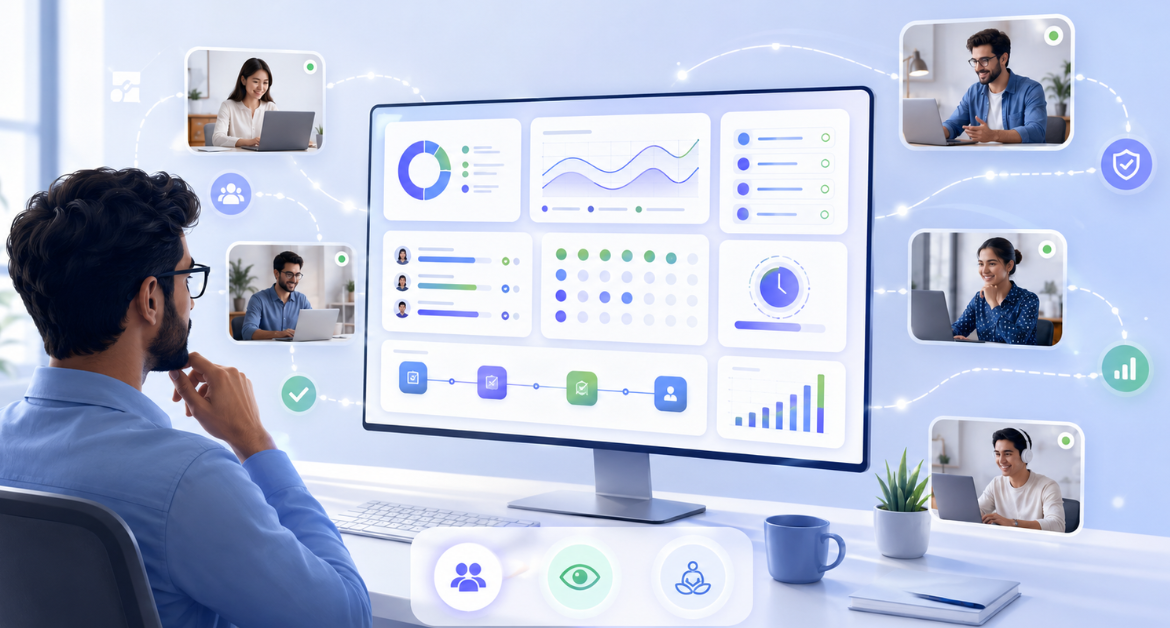
Remote and hybrid teams do not usually struggle because people are not working. They struggle because work becomes harder to see.
When employees work from different locations, managers often lose visibility into work hours, task progress, workload balance, productivity patterns, and where time is actually going. This creates repeated follow-ups, delayed decisions, unclear accountability, and sometimes unnecessary pressure on employees.
That is where a work visibility framework helps.
A work visibility framework gives teams a structured way to understand work activity, availability, attendance, workload, progress, and productivity signals without turning management into constant supervision. The goal is not to watch employees more closely. The goal is to create clarity so teams can plan better, support employees better, and make smarter decisions.
Why this matters: Remote and hybrid work are no longer temporary work models. Gallup’s latest hybrid work research shows that six in 10 employees with remote-capable jobs prefer a hybrid work arrangement , about one-third prefer fully remote work , and fewer than 10% prefer to work fully on-site . This makes remote team visibility a long-term management need, not a short-term remote work challenge.
Quick Answer: What Is Remote Team Visibility?
Remote team visibility is the ability to understand how work is happening across people, time, tools, tasks, and locations when employees are not working from the same office.
It helps managers answer practical questions such as:
- Who is available and working?
- Where is time being spent?
- Which tasks or projects are taking more effort?
- Are there repeated productivity gaps?
- Is someone overloaded or underutilized?
- Are work patterns aligned with business expectations?
Good remote team visibility is not about micromanagement. It is about giving managers and teams the right information to improve productivity, accountability, planning, and support.
What Is a Work Visibility Framework?
A work visibility framework is a structured system that defines what work-related information should be visible, who should access it, how it should be reviewed, and how the organization should act on it.
Instead of collecting data randomly, a framework helps answer five important questions:
- What do we need to understand about work?
- Why do we need this visibility?
- Which data points are useful?
- Who should have access to this information?
- How will managers use the data fairly?
This is important because tools alone do not solve visibility problems. A tool can show active time, idle time , app usage, attendance, or project-wise work hours. But without a framework, managers may misread the data or use it only for correction instead of improvement.
A strong work visibility framework turns raw work data into better decisions.
Remote Team Visibility vs Employee Monitoring
Remote team visibility and employee monitoring are connected, but they are not the same thing.
Employee monitoring usually focuses on tracking work activity, such as time, screenshots, app usage, website usage, attendance, or system activity. Remote team visibility uses that data in a broader and more responsible way to understand work patterns , remove gaps, improve planning, and support productivity.
| Area | Remote Team Visibility | Employee Monitoring |
| Main purpose | Understand work patterns and improve clarity | Track employee activity and system usage |
| Best used for | Planning, accountability, workload clarity, productivity improvement | Attendance, activity review, compliance, time tracking |
| Main question | What is happening across the team and what needs support? | What activity took place during work hours? |
| Risk if misused | Too much reporting complexity | Employees may feel watched or pressured |
| Best approach | Combine activity data with context | Use transparently and responsibly |
| Ideal outcome | Better decisions and fewer follow-ups | Better clarity into work activity |
The best approach is not to choose one over the other. It is to use monitoring data as part of a broader visibility framework.
Why Remote and Hybrid Teams Struggle With Visibility
Remote and hybrid work gives teams flexibility, but it also creates visibility gaps. These gaps are not always obvious at first. They slowly appear in missed updates, delayed deliverables, unclear ownership, and repeated manager follow-ups.
Work Happens Across Too Many Tools
In many teams, work is spread across email, chat, spreadsheets, project management tools , CRMs, ticketing systems, documents, and video calls.
A manager may know that people are busy, but not understand:
- Which tools are being used most
- Which tasks are taking time
- Where work is slowing down
- Whether time is going into productive or non-productive activities
- Whether project effort matches expected timelines
When work is scattered, visibility becomes difficult.
Microsoft’s Work Trend Index shows how fragmented modern work has become. According to Microsoft 365 telemetry, employees are interrupted every two minutes on average by a meeting, email, or notification, and 48% of employees say their work feels chaotic and fragmented . This supports the need for a visibility framework that helps managers understand patterns without adding more interruptions.
Managers Depend Too Much on Manual Updates
In remote and hybrid teams, managers often rely on manual updates like:
“Any update on this?”
“What is the status?”
“How much time did this take?”
“Are you working on this today?”
These questions may look harmless, but repeated follow-ups can create friction. Employees may feel interrupted, and managers still may not get a complete picture.
A visibility framework reduces the need for constant follow-ups by making important work patterns easier to review.
12+ Years Experience Insight: In many remote and hybrid teams, the real problem is not lack of effort. It is the absence of reliable work signals. When managers do not have structured visibility, they naturally depend on repeated status messages. Over time, this creates update fatigue for employees and still does not give managers the full picture.
Manual follow-ups are not just inefficient; they add to an already overloaded digital workday. Microsoft reports that 57% of meetings are ad hoc calls without a calendar invite , while nearly one-third of meetings now span multiple time zones. For remote and hybrid teams, this is why visibility should come from structured work signals, not constant status-checking.
Activity and Productivity Are Often Confused
One of the biggest mistakes in remote team management is assuming that activity equals productivity.
An employee can be active for many hours but still not make meaningful progress. Another employee may spend fewer active hours but complete important work efficiently.
That is why managers should separate three ideas:
| Term | Meaning | Example |
| Activity | What an employee is doing on the system | Using apps, websites, keyboard, or mouse |
| Output | What the employee completed | Reports, tickets, calls, designs, deliverables |
| Productivity | Valuable work completed efficiently | Completing priority work in expected time |
A good work visibility framework does not judge employees only by activity. It connects activity patterns with output, workload, attendance, and work context.
Hybrid Teams Create Uneven Visibility
Hybrid teams face a unique challenge. Employees working from the office may appear more visible simply because they are physically present. Remote employees may feel they need to prove that they are working.
This can create unfair assumptions.
McKinsey’s research suggests the issue is not hybrid work itself. Its analysis notes that studies have shown no negative relationship between hybrid work and productivity , and that 20% to 25% of workforces in advanced economies could work from home three to five days a week without productivity loss . The real challenge is building the right operating system around visibility, expectations, and coordination.
A framework helps teams avoid location-based bias by setting consistent visibility rules for everyone, whether they work from home, office, or both.
Lack of Visibility Affects Workload Planning
Without visibility, managers may miss important signs such as:
- One employee consistently working longer hours
- Another employee having low task involvement
- A project consuming more time than planned
- Repeated idle patterns during work hours
- Teams spending too much time on low-value activities
- Delays caused by unclear ownership or blocked tasks
These are not just productivity issues. They are planning issues.
The 6-Part Work Visibility Framework for Remote and Hybrid Teams
A work visibility framework should be simple enough to use daily, but structured enough to guide better decisions. Here is a practical six-part framework remote and hybrid teams can use.
1. Define What Visibility Means for Your Team
Visibility does not mean the same thing for every team.
For HR, visibility may mean attendance, availability, and policy compliance.
For operations, it may mean productivity trends and workload balance.
For IT services teams, it may mean project-wise and task-wise time tracking.
For outsourcing companies, it may mean client reporting and billable effort clarity.
For business owners, it may mean understanding whether team capacity is being used effectively.
Before choosing metrics or tools, define what visibility should help you achieve.
Ask these questions:
- What work problem are we trying to solve?
- Are we trying to improve attendance clarity, productivity, workload balance, project tracking, or accountability?
- Who needs access to this data?
- What decisions will this data support?
- What data should we avoid collecting?
- How will we explain this to employees?
This step is important because visibility without purpose can quickly become noise.
2. Identify the Right Visibility Signals
Once the goal is clear, identify the signals that matter.
A visibility signal is any data point that helps managers understand work patterns. But not all signals are equally useful for every team.
| Visibility Signal | What It Helps You Understand | Example Use |
| Work hours | When employees start, stop, and spend time working | Attendance and availability clarity |
| Active time | Time spent actively using the system | Work rhythm and engagement |
| Idle time | Periods of inactivity during work hours | Identify patterns that may need context |
| App and website usage | Which tools and websites are used during work | Understand work behavior and distractions |
| Attendance | Presence, absence, late starts, and early logouts | HR and payroll clarity |
| Project/task time | Where work hours are spent | Client billing, resource planning, project effort |
| Productivity reports | Trends across users or teams | Coaching, planning, and performance improvement |
| Screenshots/activity timeline | Work context during specific time windows | Review work activity when needed |
The key is to avoid relying on one signal alone.
For example, idle time should not automatically be treated as poor performance. It may indicate a meeting, a call, a system issue, a break, or work happening away from the keyboard. Similarly, high active time does not always mean high-quality output.
The right visibility framework combines signals and context.
3. Separate Activity, Output, and Productivity
This is one of the most important parts of remote team visibility.
If managers treat activity as the only proof of work, they may reward busy behavior instead of meaningful outcomes.
A better framework looks at activity, output, and productivity together.
For example:
- Activity shows whether someone was working on the system.
- Output shows what was completed.
- Productivity shows whether useful work was completed efficiently.
- Workload data shows whether work was distributed fairly.
- Project/task time shows where effort was spent.
This helps managers avoid shallow conclusions.
Instead of saying:
“Your active time is low.”
A better conversation would be:
“I noticed your active time was lower on two days, but your task output was strong. Was that because most of the work happened in meetings, calls, or offline planning?”
This changes the tone from judgment to understanding.
4. Set Fair Visibility Rules and Access Controls
Remote team visibility should be transparent and role-based.
Not everyone needs access to everything.
HR may need attendance reports.
Managers may need team productivity trends.
Project leads may need project-wise time data.
Leadership may need team-level summaries.
IT may need system-level deployment or access visibility.
A good framework should define:
- Who can view employee-level data
- Who can view team-level reports
- What data is visible to leadership
- What employees can view about themselves
- How long data is retained
- When screenshots or activity logs should be reviewed
- How privacy and consent will be handled
This protects both the organization and employees.
It also prevents unnecessary access, which is important for trust.
5. Create a Review Cadence
Visibility data becomes useful only when reviewed at the right time.
If managers check reports too often, employees may feel pressured. If they check too rarely, issues may go unnoticed.
A simple review cadence can help.
| Review Frequency | What to Review | Who Should Review |
| Daily | Attendance, urgent gaps, unusual work-hour patterns | Team managers |
| Weekly | Productivity trends, workload balance, project/task effort | Managers and operations teams |
| Monthly | Team-level patterns, coaching needs, policy gaps | HR and leadership |
| Quarterly | Workforce planning, process improvement, compliance review | Leadership, HR, and IT |
The focus should be on trends, not isolated incidents.
One day of low activity may not mean anything. A repeated pattern across multiple weeks may need attention.
6. Turn Visibility Data Into Action
Collecting visibility data is not the end goal. The real value comes from action.
A good work visibility framework should help managers:
- Reduce repeated follow-ups
- Reassign workload
- Identify overworked employees
- Support employees who may be disengaged
- Improve project planning
- Reduce time spent on low-value activities
- Improve attendance clarity
- Coach employees using real work patterns
- Improve client reporting
- Identify process bottlenecks
For example, if a team is spending too much time on communication tools but project progress is slow, the issue may not be employee effort. It may be too many meetings, unclear task ownership, or poor process design.
Visibility should help managers fix the system, not just question the employee.
What Should Managers Track for Better Remote Team Visibility?
The right metrics depend on the team’s work model, but most remote and hybrid teams should consider these areas.
Work Hours and Attendance Patterns
Attendance visibility helps HR and managers understand when employees start work, when they log out, and whether attendance patterns are consistent.
This is especially useful for remote and hybrid teams where physical presence is not available as a signal.
Active, Idle, and Away Time Trends
Active and idle time help managers understand work rhythm.
However, these metrics should always be interpreted carefully. Idle time may indicate inactivity, but it may also reflect calls, meetings, offline work, or breaks.
The goal is to identify patterns, not make instant judgments.
App and Website Usage
App and website usage helps managers understand which tools employees use during work hours.
For example, a support team may spend most of its time in CRM and ticketing tools. A development team may spend time in coding platforms, documentation tools, and project systems.
This data can help identify distractions, tool adoption issues, or workflow inefficiencies.
Project and Task-Based Time
Project/ task-based time tracking is especially important for service-based teams, IT companies, outsourcing teams, and agencies.
It helps answer:
- Which projects consume the most time?
- Are billable and non-billable hours clear?
- Are tasks taking longer than expected?
- Is workload distributed fairly?
- Can managers give clients better work progress updates?
This is where visibility becomes directly useful for planning and delivery.
Productivity Reports and Team-Level Trends
Productivity reports help managers see patterns across individuals, teams, and departments.
Instead of checking every small activity, managers can review larger trends such as:
- Productive vs unproductive time
- Active vs idle time
- Attendance consistency
- App and website usage patterns
- Team productivity movement over time
This supports better coaching and decision-making.
Workload and Capacity Signals
Remote teams often hide workload problems until it is too late.
Some employees may be overloaded but silent. Others may have available capacity but remain underutilized.
A visibility framework should help managers identify workload imbalance early and adjust work before it affects delivery or morale.
What Managers Should Avoid Tracking or Misinterpreting
Responsible visibility is as important as visibility itself.
Here are common mistakes managers should avoid.
Do Not Judge Productivity Only by Active Time
Active time is useful, but it does not show the full picture. Some roles require thinking, planning, calls, discussions, or offline work.
Use active time as one signal, not the final judgment.
Expert Note: After working with teams across different work models, one pattern is clear: active time should start a conversation, not end it. A low active-time day may indicate a blocker, a client call, planning work, or role-specific work that does not happen continuously on the keyboard. The best managers use this data to ask better questions, not to make faster judgments.
Do Not Treat Idle Time as Time Theft Without Context
Idle time can happen for many reasons. It may be a lunch break, client call, meeting, internet issue, system delay, or offline task.
Repeated idle patterns may need discussion, but isolated idle time should not be treated as proof of poor performance.
Do Not Use Screenshots Without Clear Guidelines
Screenshots can provide work context, but they should be used carefully.
Employees should know:
- Whether screenshots are enabled
- How often they are captured
- Who can view them
- Why they are used
- How privacy is protected
This helps maintain trust.
Do Not Compare Different Roles Using the Same Metrics
A designer, sales executive, developer, support agent, and HR professional do not work the same way.
Using the same productivity expectations for every role can create unfair conclusions.
Metrics should match the nature of work.
Do Not Collect Data That Does Not Support a Decision
If a data point does not help improve planning, accountability, productivity, attendance, or support, reconsider whether it is needed.
More data does not always mean better visibility.
Do Not Use Visibility Data Only for Escalation
If employees feel data is used only to point out mistakes, they may become defensive.
Use visibility data for:
- Coaching
- Process improvement
- Workload planning
- Employee support
- Better project decisions
- Reducing unnecessary follow-ups
That is how visibility becomes useful instead of stressful.
How to Build a Work Visibility Framework Step by Step
Here is a practical process managers can follow.
Step 1: Define the Visibility Problem
Start with the actual problem.
For example:
- We do not know where project time is going.
- Managers are sending too many follow-ups.
- Attendance is unclear in remote teams.
- Productivity reports are inconsistent.
- Client billing lacks time clarity.
- Workload distribution is uneven.
- Hybrid employees are not equally visible.
Once the problem is clear, the framework becomes easier to design.
Step 2: Select the Right Metrics
Choose metrics based on the problem.
If the issue is attendance, track work hours and login/logout patterns.
If the issue is project effort, track project and task time.
If the issue is productivity, review productive, unproductive, active, and idle trends.
If the issue is workload imbalance, review team-level time and task distribution.
If the issue is tool usage, review app and website activity.
Do not track everything just because it is available.
Step 3: Communicate What Will Be Tracked
Employees should clearly know what data is being collected and why.
A simple communication plan should explain:
- What will be tracked
- Why it is being tracked
- How the data will be used
- Who will have access
- What employees can view
- How privacy will be respected
- How concerns can be raised
Transparency reduces resistance.
Real-World Implementation Tip: In practice, employee resistance usually reduces when companies explain the “why” before enabling the tool. A simple rollout message works better than a policy document alone. Tell employees what will be tracked, what will not be tracked, who will review the data, and how the data will be used for planning, support, and accountability.
Transparency matters because remote work often blurs boundaries. Buffer’s State of Remote Work found that 81% of remote workers check work emails outside work hours , 48% frequently work outside traditional work hours , and 22% say not being able to unplug is their biggest remote work challenge . A good visibility framework should therefore define not only what is tracked, but also when work expectations begin and end.
Step 4: Set Access Permissions
Visibility should be role-based.
Managers should see what they need to manage their teams. HR should see what is relevant for attendance and policy. Leadership should see broader trends. Employees should have clarity about their own data where possible.
Access control helps prevent misuse and builds confidence in the system.
Step 5: Review Trends, Not Isolated Incidents
One unusual day should not define an employee’s performance.
Look for patterns across time.
For example:
- Is idle time increasing every week?
- Is project time consistently higher than estimated?
- Is one team using too many non-work apps?
- Are employees logging longer hours without better output?
- Is attendance irregular for a specific group?
Trends lead to better decisions.
Step 6: Use Data for Coaching and Process Improvement
Visibility data should improve conversations.
Instead of asking vague questions like “Why is productivity low?”, managers can ask:
- Are there blockers affecting your work?
- Are you spending too much time on low-priority tasks?
- Do you need clearer task ownership?
- Is workload distribution creating delays?
- Are tools or processes slowing you down?
This makes productivity discussions more constructive.
Step 7: Review the Framework Regularly
Remote and hybrid work patterns change.
A visibility framework should be reviewed every few months to check:
- Are the tracked metrics still useful?
- Are managers using data fairly?
- Are employees comfortable with the process?
- Are reports helping decision-making?
- Are there privacy or access concerns?
- Are new teams or workflows creating new visibility gaps?
A framework should evolve with the business.
Remote Team Visibility Framework Example
Let’s take a practical example.
Example: Remote IT Services Team
An IT services company has remote developers, support executives, QA testers, and project coordinators. The team is working, but managers face recurring problems:
- Too many manual status updates
- Unclear project-wise effort
- Difficulty tracking attendance
- Delays in client reporting
- Uneven workload across team members
- No clear view of productive vs unproductive work patterns
A work visibility framework can help the company define what to track and how to use the data.
The framework may include:
- Attendance tracking to understand work availability
- Active and idle time trends to identify work rhythm
- App and website usage to understand digital work behavior
- Project/task-based time tracking to map work hours to client projects
- Weekly productivity reports to identify team-level trends
- Role-based dashboards for managers and leadership
- Clear employee communication about what is tracked and why
The outcome:
- Managers reduce repeated follow-ups.
- Project leads get better effort visibility.
- HR gets clearer attendance data.
- Leadership can review team-level productivity trends.
- Employees get clearer expectations.
- Client reporting becomes easier and more accurate.
This is the real value of remote team visibility. It turns scattered work signals into useful clarity.
Real-Life Example: In a service-based team, managers often discover that delays are not always caused by low productivity. Sometimes the real issue is unplanned client calls, unclear task ownership, repeated context switching, or too much time spent on coordination. When project/task time, attendance, and productivity trends are reviewed together, managers can separate performance issues from process issues.
How Mera Monitor Helps Improve Remote Team Visibility
Mera Monitor helps remote and hybrid teams improve work visibility by bringing time, attendance, activity, productivity, and project/task insights into one place.
With Mera Monitor, teams can track:
- Automated work hours
- Active and idle time
- Attendance patterns
- App and website usage
- Screenshots and activity timelines
- Productivity reports
- Team-level work patterns
- Project and task-based time
- Workforce analytics
- Role-based visibility for managers and teams
The purpose is not to create pressure or constant supervision. The purpose is to help businesses understand how work is happening, where time is going, and which patterns need attention.
For remote and hybrid teams, this can reduce manual follow-ups, improve accountability, support better coaching, and help managers make decisions based on real work data.
Remote Team Visibility Checklist
Use this checklist before implementing your work visibility framework:
- Have we clearly defined why visibility is needed?
- Are we tracking only useful work data?
- Do employees know what is being tracked?
- Have we explained how the data will be used?
- Are managers trained to interpret data fairly?
- Are we reviewing trends instead of isolated incidents?
- Are access permissions clearly defined?
- Are productivity metrics connected with actual work outcomes?
- Are we using data for coaching and support?
- Are we avoiding unnecessary or excessive tracking?
- Are we reviewing the framework regularly?
If the answer is “no” to many of these questions, the team may need to improve the framework before expanding monitoring or reporting.
Key Takeaways
Remote team visibility is not about watching employees more closely. It is about creating clarity around work patterns, availability, workload, productivity, and project effort.
A strong work visibility framework helps managers understand what is happening across remote and hybrid teams without depending on constant follow-ups.
The most effective framework should:
- Define what visibility means for the team
- Track the right work signals
- Separate activity, output, and productivity
- Set fair access and visibility rules
- Review trends regularly
- Use data for coaching, planning, and support
When done responsibly, remote team visibility improves accountability, trust, productivity, and decision-making.
FAQs
Remote team visibility is the ability to understand work activity, availability, workload, attendance, progress, and productivity patterns across employees working from different locations.
Remote team visibility is important because managers cannot rely on physical presence to understand work progress. It helps reduce follow-ups, improve accountability, identify workload issues, and support better decision-making.
A work visibility framework is a structured approach that defines what work data should be tracked, who can access it, how it should be reviewed, and how it should be used to improve productivity and planning.
To build a work visibility framework, define the visibility problem, choose the right metrics, communicate what will be tracked, set access permissions, review trends regularly, and use the data for coaching and process improvement.
Managers can track work hours, attendance, active and idle time, app and website usage, project/task time, productivity reports, workload trends, and team-level work patterns.
Managers can improve visibility without micromanaging by using transparent policies, tracking only relevant data, reviewing trends instead of isolated incidents, setting role-based access, and using insights for support rather than constant checking.
No. Employee monitoring focuses on tracking activity, while remote team visibility uses work data to improve clarity, accountability, planning, and productivity decisions.
Hybrid teams need better visibility because employees work from different locations. Without a consistent framework, remote employees may become less visible, workload planning may suffer, and managers may rely too much on manual updates.
Tools that help improve remote team visibility usually include time tracking, attendance tracking, app and website usage reports, productivity analytics, screenshots, activity timelines, and project/task-based time tracking.
Mera Monitor supports remote team visibility by helping businesses track work hours, active and idle time, attendance, app and website usage, productivity reports, screenshots, activity timelines, and project/task-based work effort in one platform.